7 Introduction
Introduction
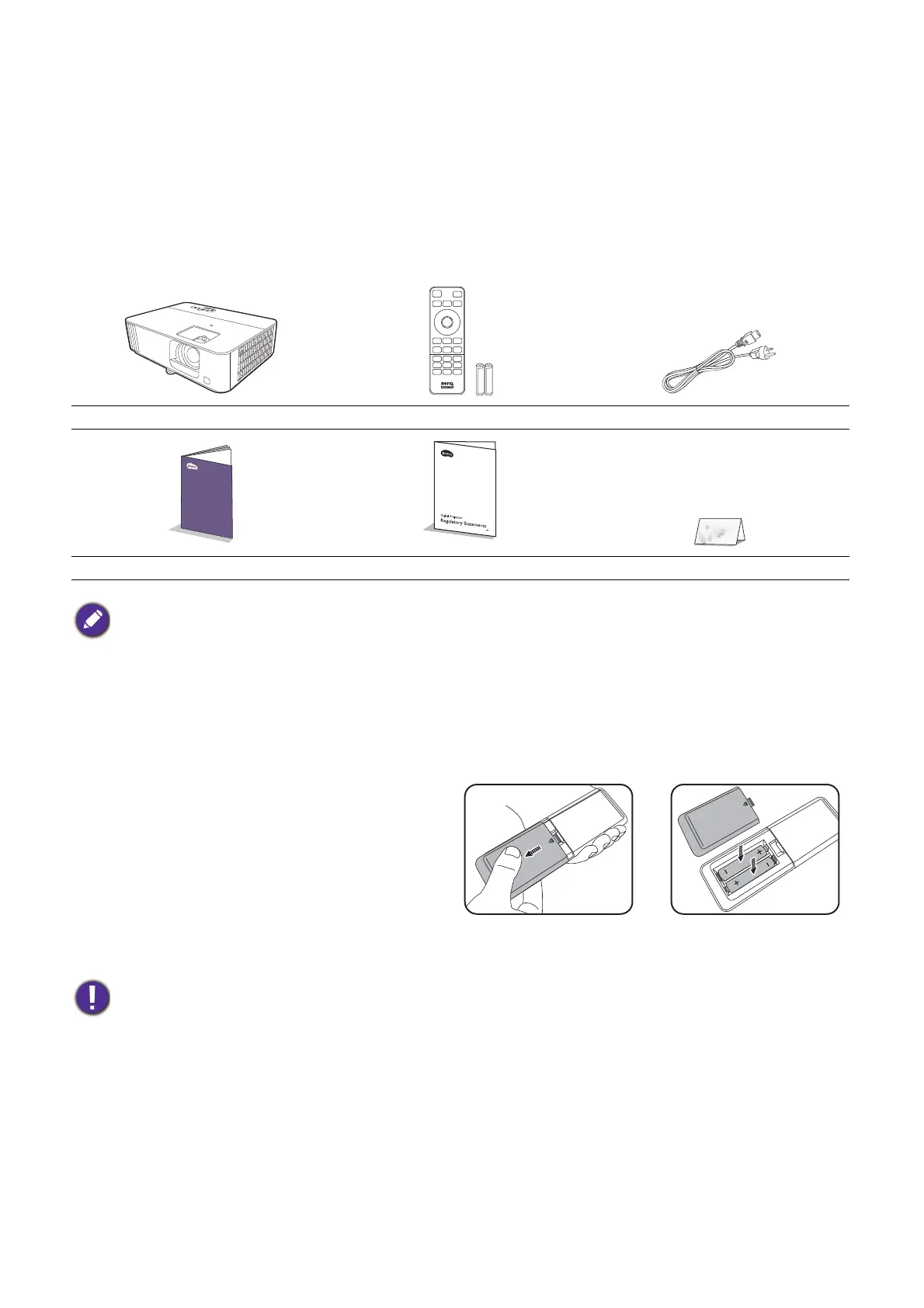
Shipping contents
Carefully unpack and verify that you have all of the items shown below. If any of these items are
missing, please contact your place of purchase.
Standard accessories
Optional accessories
Replacing the remote control batteries
1. Press and slide off the battery cover, as
illustrated.
2. Remove the old batteries (if applicable) and
install two AAA batteries. Make sure that
the positive and negative ends are
positioned correctly, as illustrated.
3. Slide the battery cover in until it clicks into
place.
Projector Remote control with batteries Power cord
Quick start guide Regulatory statements Warranty card*
• The supplied accessories will be suitable for your region, and may differ from those illustrated.
• *The warranty card is only supplied in some specific regions. Please consult your dealer for detailed
information.
• Spare lamp kit
• Avoid leaving the remote control and batteries in an excessive heat or humid environment like the
kitchen, bathroom, sauna, sunroom or in a closed car.
• Replace only with the same or equivalent type recommended by the battery manufacturer.
• Dispose of the used batteries according to the manufacturer's instructions and local environment
regulations for your region.
• Never throw the batteries into a fire. There may be danger of an explosion.
• If the batteries are dead or if you will not be using the remote control for an extended period of time,
remove the batteries to avoid damage to the remote control from possible battery leakage.



 To Next Page