15 Positioning your projector
Fine-tuning the image size and clarity
Correcting keystone
Keystoning refers to the situation where the projected image becomes a trapezoid due to
angled projection.
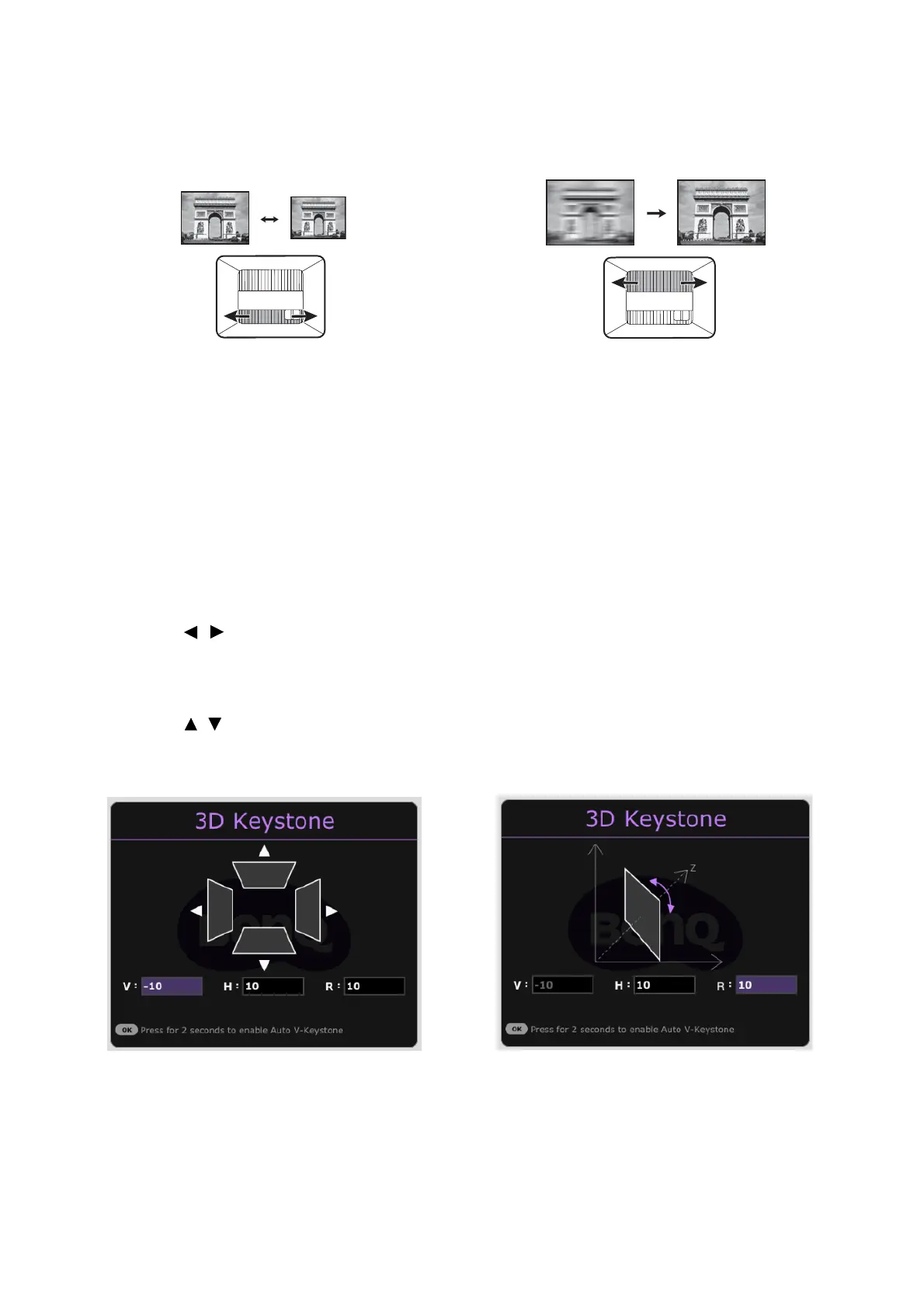
• Adjust the projected image to the size that
you need using the zoom ring.
• Sharpen the image by rotating the focus ring.
To correct the distorted image:
1. Display the 3D Keystone correction from one of the following menus.
• The setup wizard during the projector initial setup
• The Basic menu system
• The Installation menu of the Advanced menu system
2. After the 3D Keystone correction page appears:
• Press / to select V, H, or R.
Selecting V corrects the vertical sides keystone.
Selecting H corrects the horizontal sides keystone.
Selecting R rotates the projected image clockwise or counterclockwise.
• Press / to adjust its value.
• To automatically correct the vertical sides of the distorted image, press OK for 2
seconds, or enable Auto Vertical Keystone on the Installation menu.
3. When done, press BACK to save your changes and exit.



 To Next Page