14 Positioning your projector
For example, if you are using a 100-inch screen, the recommended projection distance is 2933
mm.
If your measured projection distance is 2000 mm, the closest match in the "Projection distance
in mm" column is 2053 mm. Looking across this row shows that a 70'' (about 1.8 m) screen is
required. The projected image will be slightly higher/lower than the lens centerline with 44 - 131
mm vertical offset.
Adjusting the projector position
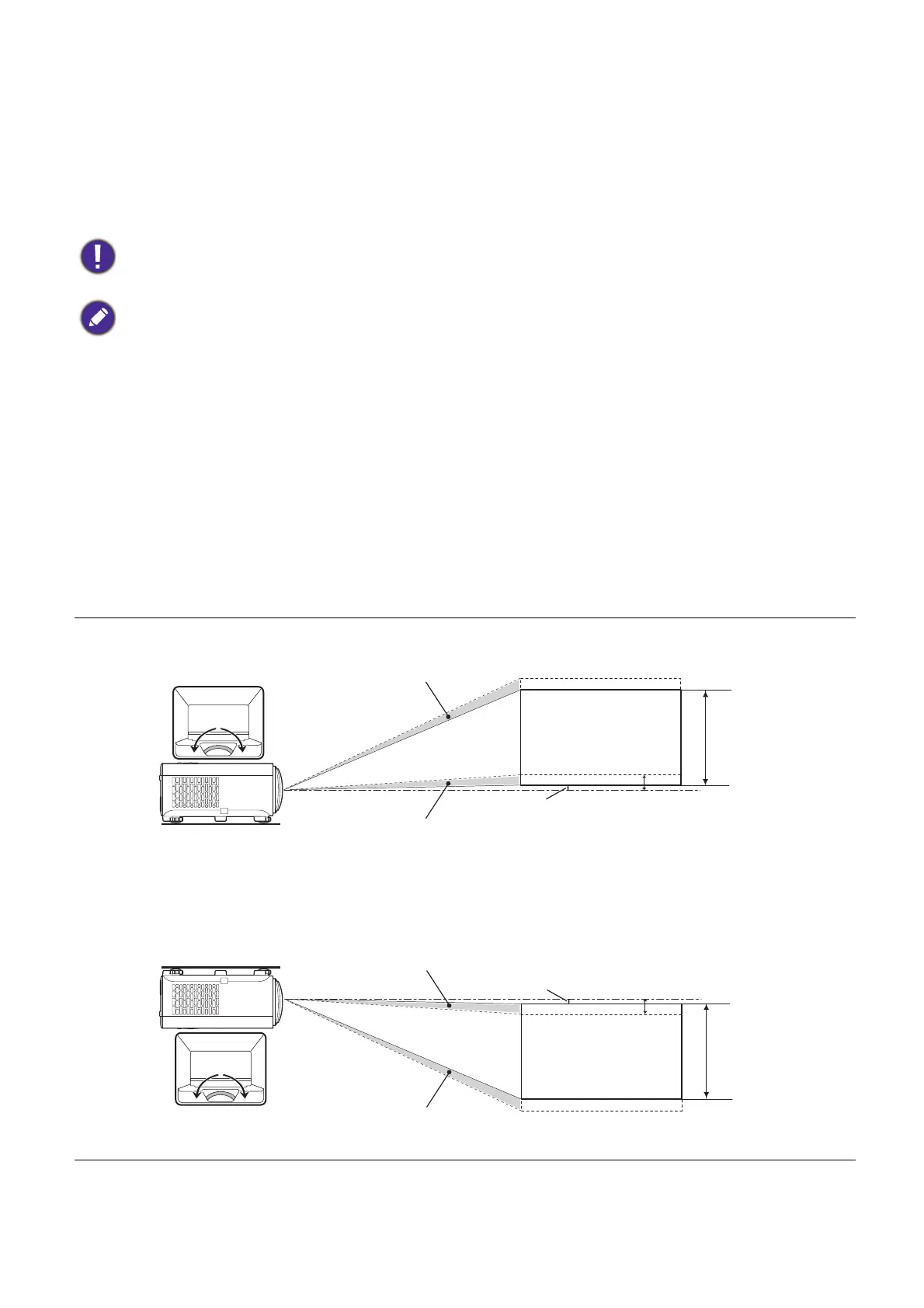
Shifting the projection lens
The lens shift control provides flexibility for installing your projector. It allows the projector to
be positioned off the center of the screen.
The lens shift is expressed as a percentage of the projected image height or width. You can
turn the knob on the projector to shift the projection lens within the allowable range depending
on your desired image position.
To optimize your projection quality, we suggest doing the projection by referring to the values listed in the
non-gray rows. The values in the gray cells are for reference only.
All measurements are approximate and may vary from the actual sizes.
BenQ recommends that if you intend to permanently install the projector, you should physically test the
projection size and distance using the actual projector in situ before you permanently install it, so as to
make allowance for this projector's optical characteristics. This will help you determine the exact mounting
position so that it best suits your installation location.
Vertical shift
Height of
projected
image (V)
Desk-front
projection
Ceiling mount-front
projection
Height of
projected
image (V)
Vertical shift
Max. 0.05V
Vertical shift
Vertical shift
Min. 0.05V
Max. 0.15V
Max. 0.15V



 To Next Page