9
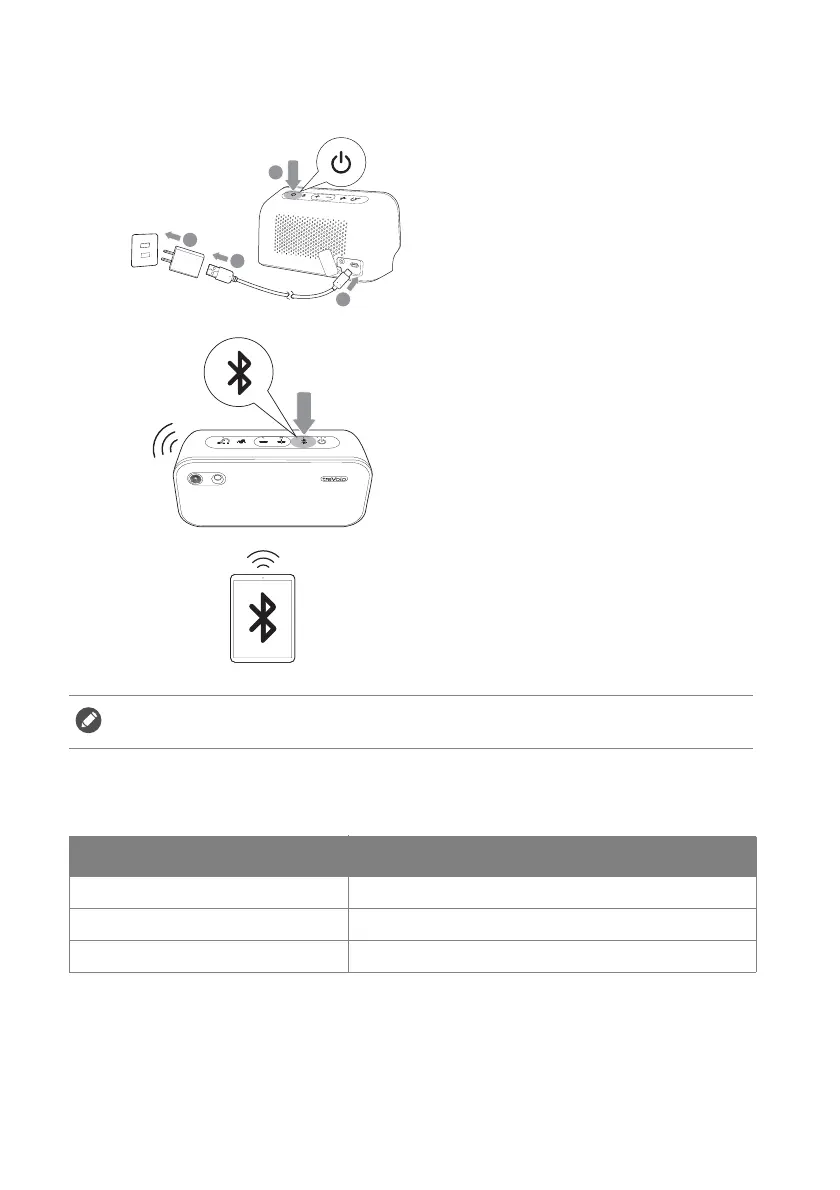
Pairing device (Bluetooth connection)
Bluetooth LED indicator
1.
If the battery is not charged,
please insert the power adapter,
then press the power button for
2 seconds to turn the speaker
on.
2.
Press the Bluetooth button for
2 seconds to get into pairing
mode; the LED Bluetooth
indicator will flash blue.
3.
Enable Bluetooth in the device
pairing to treVolo U, select
"treVolo U" in the Bluetooth
device list and connect it to the
speaker.
The speaker is capable of storing up to 8 pairing devices in its memory.
LED indicator Status of the speaker
Slow blinking blue Searching for a device.
Flashing blue Under pairing mode.
Solid blue Connected to a device.



 To Next Page