25
Voice control
Activate the voice control function of the speaker to adjust the
volume and the Sound Mode of the speaker via specified voice control
commands.
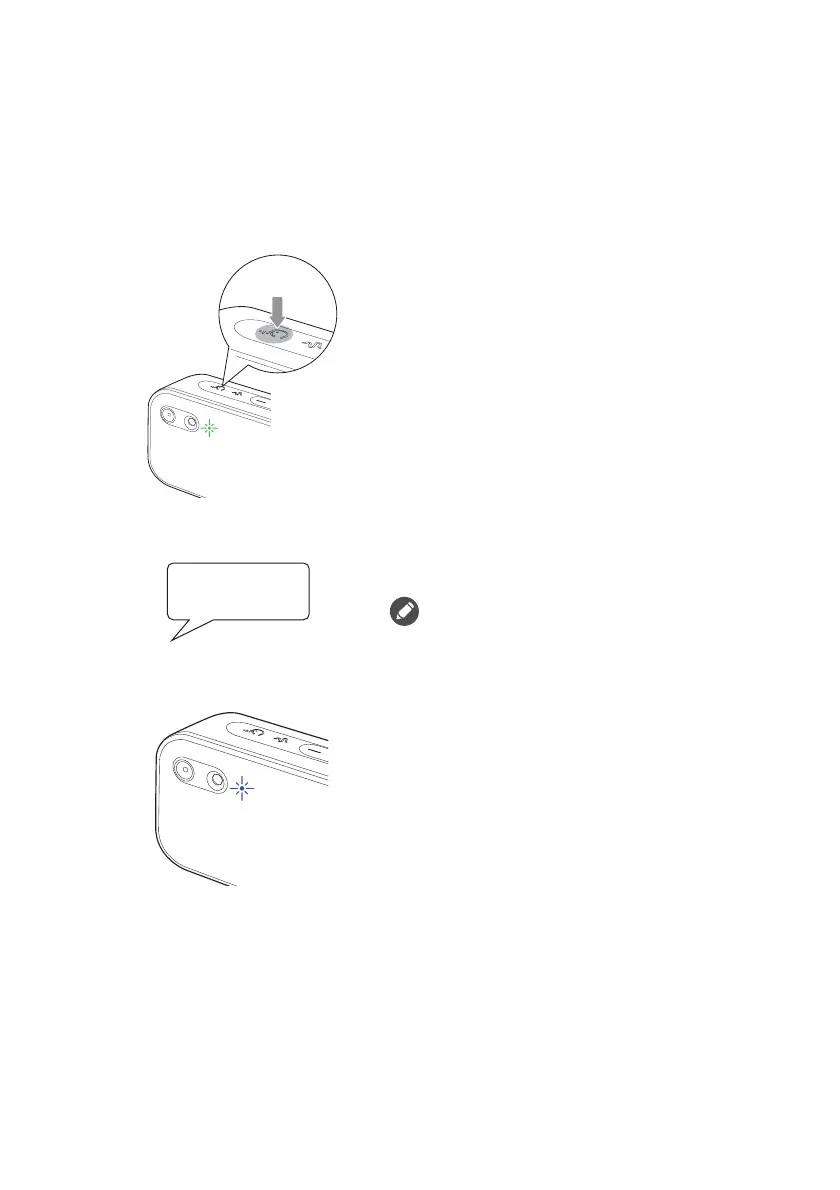
To control the speaker via voice control:
1.
Press the Sound Mode button for
1 second and the voice control LED
will turn green, indicating that the
speaker has entered the voice control
mode.
2.
When the speaker is in the voice
control mode, say "Hey Tredo" to
activate the voice control.
If the voice control is not activated
within 2 minutes, the speaker will
automatically leave the voice control
mode.
3.
When the voice control is activated,
the voice control LED will turn blue
and the speaker will make a sound.



 To Next Page