70
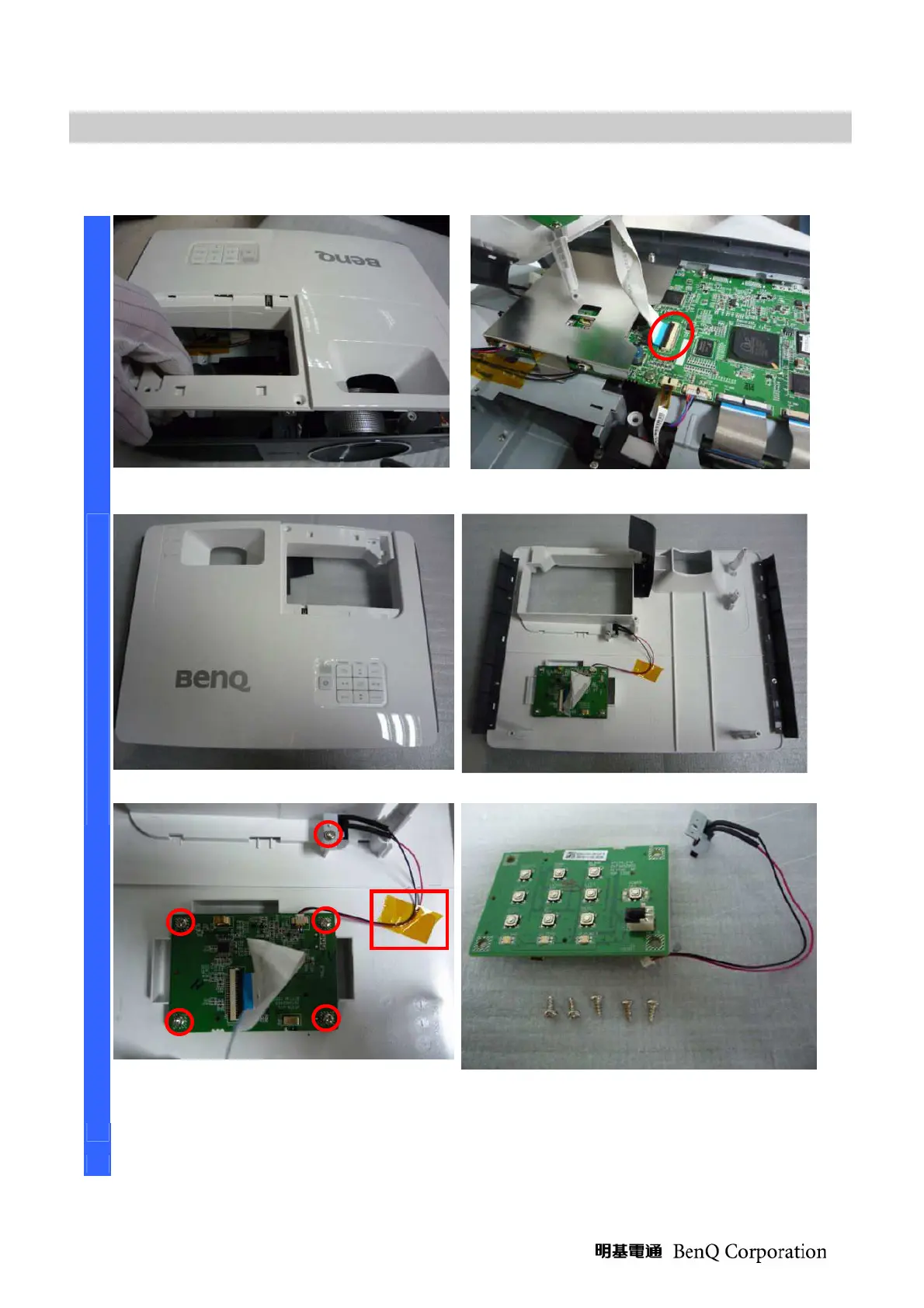
Removing and Disassembly the Top Cover ASSY
Remove the Top Cover Assy like this.
*2
Be careful this connector when you
assembly it. *5
Review the Top Cover Assy #1. Review the Top Cover Assy #2.
D
I
S
A
S
S
E
M
B
L
Y
Remove the
five screws and be careful
the adhesive tape when you assembly
Review the keypad B, Switch and the
five screws (S02).
*3 *5



 To Next Page