16
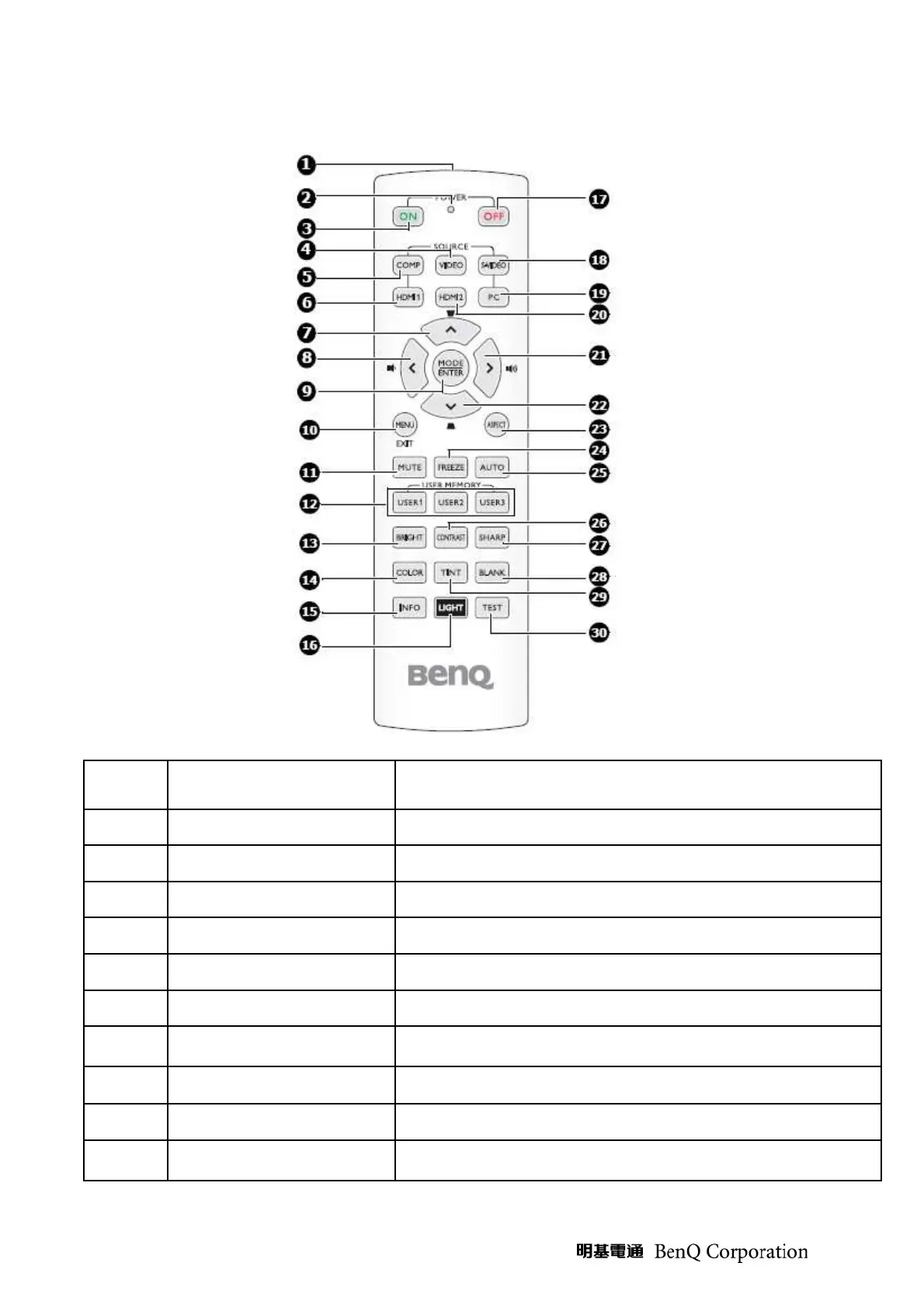
Remote Control Key Definition & IR Key Code
I
TEM
L
ABEL
D
ESCRIPTION
1
IR transmitter
Tranmits signal to projector
2
LED indicator
Lights only then the key is pressed
3
Power On
Turns on the projector
4
Video
Displays the VIDEO source selection
5
Com
Displays the COMPNENTselection
6
HDMI 1
Displays the HDMI 1 source selection
7
Up cursor/KEYSTONE key
Navigates and changes setting in the OSD / Manually corrects
distorted images resulting from an angled projection
8
Left cursor/Decrease volume
level
Navigates and changes setting in the OSD / Decreases volume
9
Mode/Enter
Choose a suitable preset mode for usage environment
10
Menu/Exit
Turns on the On-Screen Display (OSD) menu. Goes back to
previous OSD menu, exits and saves menu setting



 To Next Page