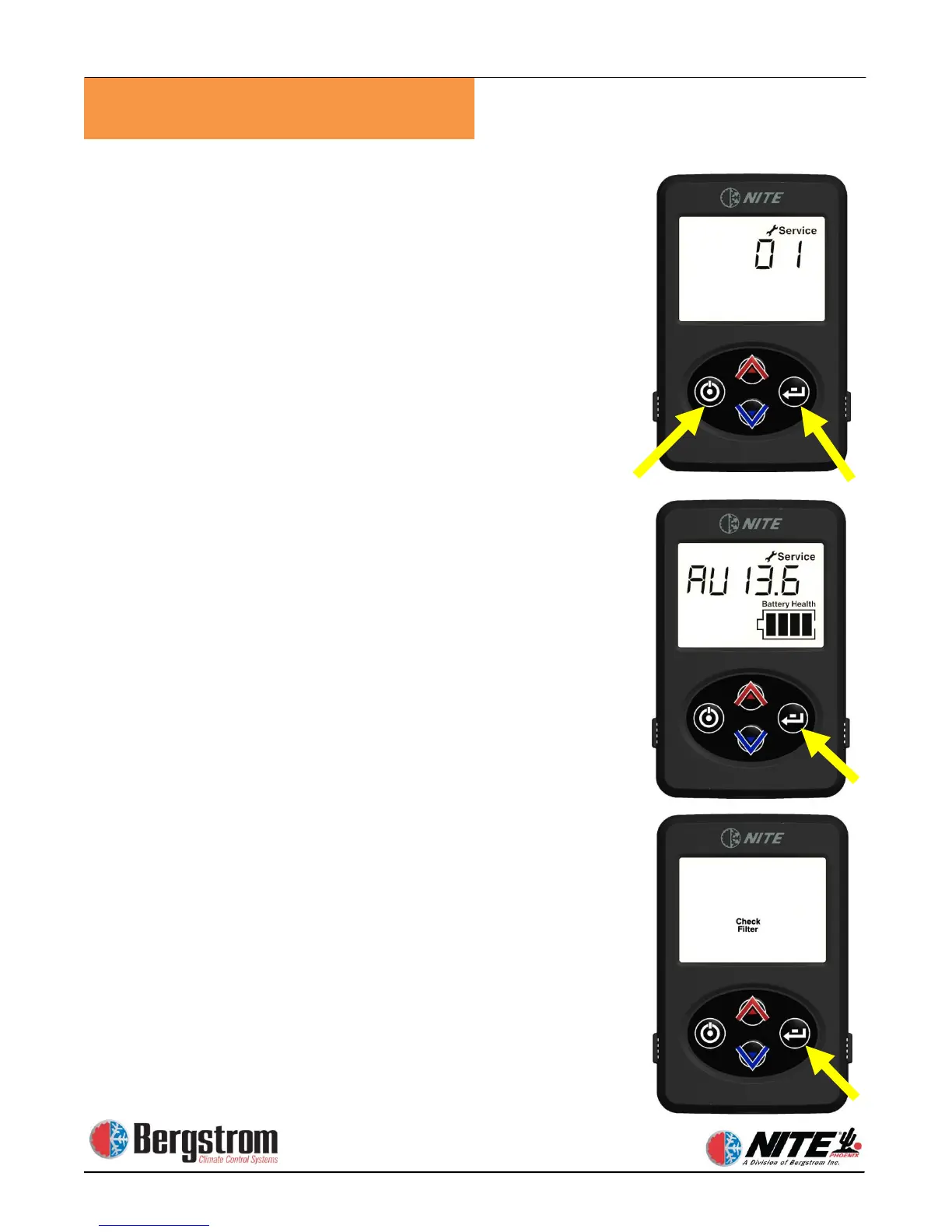
To enter SERVICE MODE: Push both the ON/OFF and
ENTER button simultaneously at any time.
Display will show service indicator and a code #1 to #3.
Use up and down arrows to scroll through the Fault
Codes.
1)
Evap sensor open or shorted high
2)
Evap sensor shorted low
3)
High pressure switch open or shorted high
Press the ENTER button to proceed through the
available service screens.
1) SV = Starting batteries Voltage
2) AV = Auxiliary batteries Voltage
3) AA = Unit Amperage draw
4)
Pressing ENTER arrow after viewing service screen will
return you to the fault code screen.
Pressing the ON/OFF button will return you to the
Temperature Display screen.
When necessary, Check Filter light will notify you that
the Phoenix filter must be cleaned or changed. To reset
filter: at screen 1 press and hold enter button for 3
seconds.


 To Next Page