Page 12
MAIN MENU
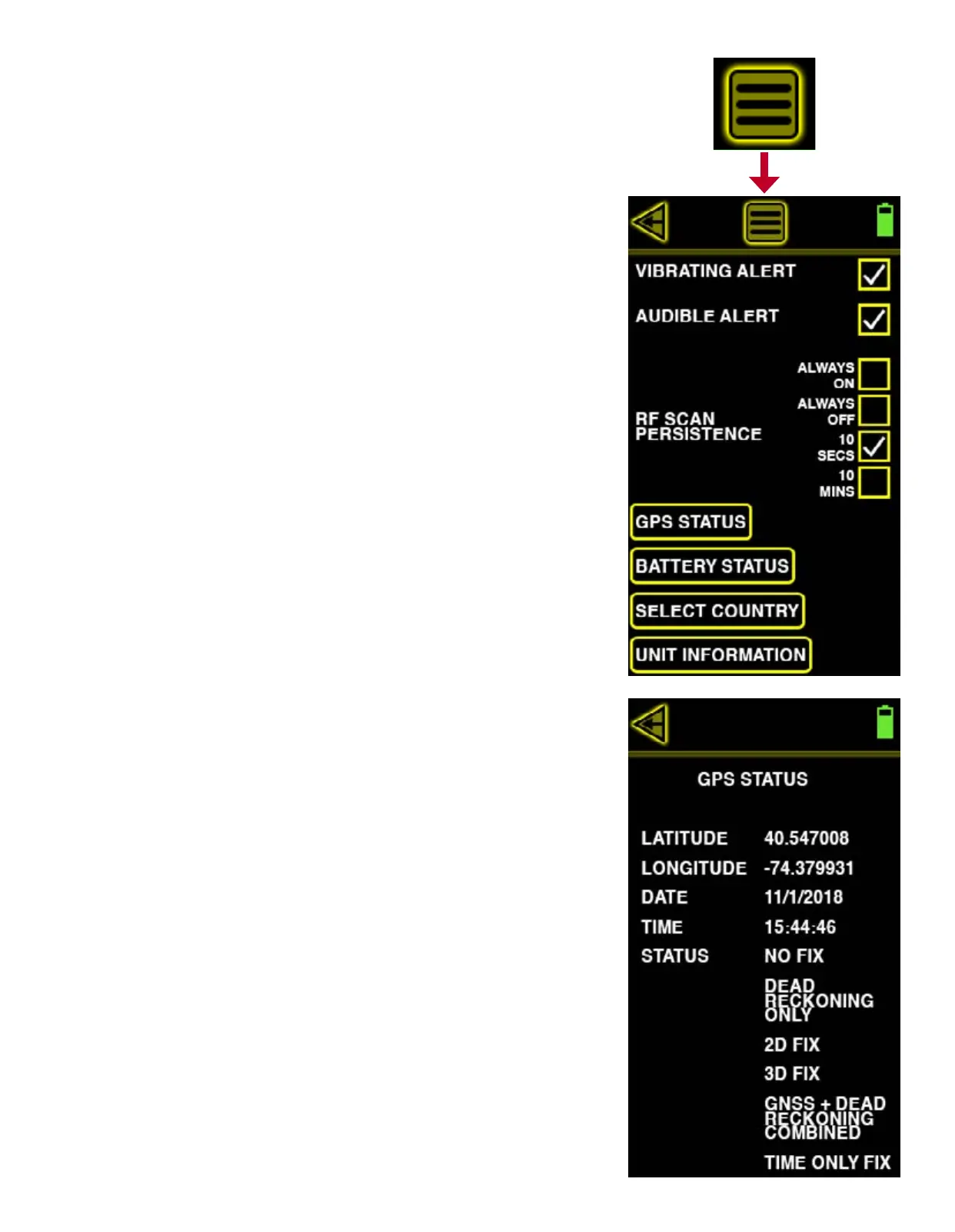
The MAIN MENU allows access to more of the Yorkie-Pro’s settings and information. These include
alerts, RF scan persistence, GPS, battery status, country selection and unit information.
VIBRATING ALERT
Touch the VIBRATING ALERT checkbox to toggle vibrating alerts on or off. When vibrating alerts
are turned on, the unit will vibrate everytime a set threshold is surpassed.
AUDIBLE ALERT
Touch the AUDIBLE ALERT checkbox to toggle audible alerts on or off. The unit will beep every-
time a threshold is surpassed or any button is touched.
RF SCAN PERSISTENCE
RF SCAN PERSISTENCE only affects the rate at which Wi-Fi, BT or BLE measurements are dis-
played. For instance, only the last scan result will be shown when it is set to ALWAYS OFF. The
choices include ALWAYS ON, ALWAYS OFF, 10 SECS and 10 MINS. You might need to experiment
with these settings depending upon your environment but BVS recommends 10 SECS for most
busy RF environments and 10 MINS for less busy RF environments.
GPS STATUS
Touch the GPS STATUS button to display the Yorkie-Pro’s internal GPS receiver status including
latitude, longitude, date, time, x status, dead reckoning status, 2D x status, 3D x status,
GNSS + dead reckoning status and time x status. This information is useful primarily for users
performing site security surveys requiring export for reports and later analysis.


 To Next Page