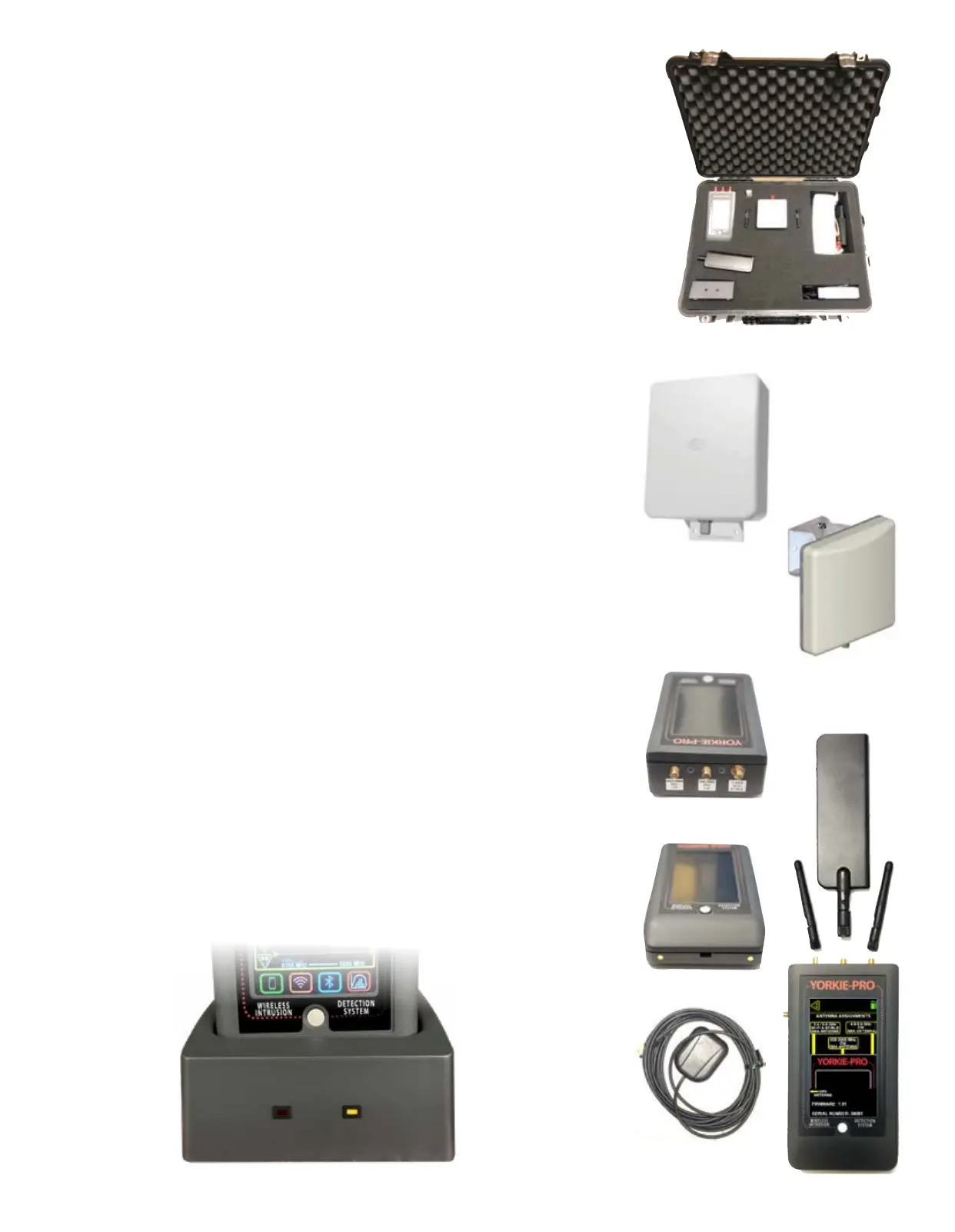
Yorkie-Pro ships inside its own rugged Pelican carrying case along with all accessories to get you
going right away.
Included in box:
Pelican hard carrying/shipping case with space for accessories
Yorkie-Pro unit
charging base
AC power adapter with 110V AC power cable
USB-A to USB Mini 6’ cable
2.4 / 5.8 GHz Wi-Fi/BT/BLE SMA omni-directional antenna
650-3000 MHz CW SMA omni-directional antenna
4.9-5.9 GHz CW SMA omni-directional antenna
2.4 / 5.8 GHz Wi-Fi/BT/BLE SMA directional patch antenna with 18” cable
650-3000 MHz CW SMA directional antenna includign 18” cable
Before you start, completely charge up your Yorkie-Pro using the supplied AC/DC transformer
and charging base. Note that the mini-USB port is for BVS factory use unless specied by your
authorized BVS sales engineer or reseller.
Power up your Yorkie-Pro using the white, round button on the front of the unit just below the
screen. The unit will immediately begin scanning but allow at least one minute after all anten-
nae are attached for complete measurements of all nearby wireless energy.
You may power down Yorkie-Pro at any time by simply holding in the same round, white button
for a few seconds and you see the screen power back down.
UNIT CHARGING and RUNTIME
Yorkie-Pro takes approximately 5 hours to charge fully when using the supplied charging cradle.
Yorkie-Pro runtime is approximately 6 hours assuming a full charge on a full charge/discharge
cycle. All battery performance degrades over time but if your typical Yorkie-Pro runtime is no-
ticebly lower than 6 hours, you may need to disharge and recharge your Yorkie-Pro fully. Please
consult with BVS support for full details on this procedure.
Page 2


 To Next Page