Draft version 01 Operatots Manual / SmartMonitor SITE L page 10 of 26
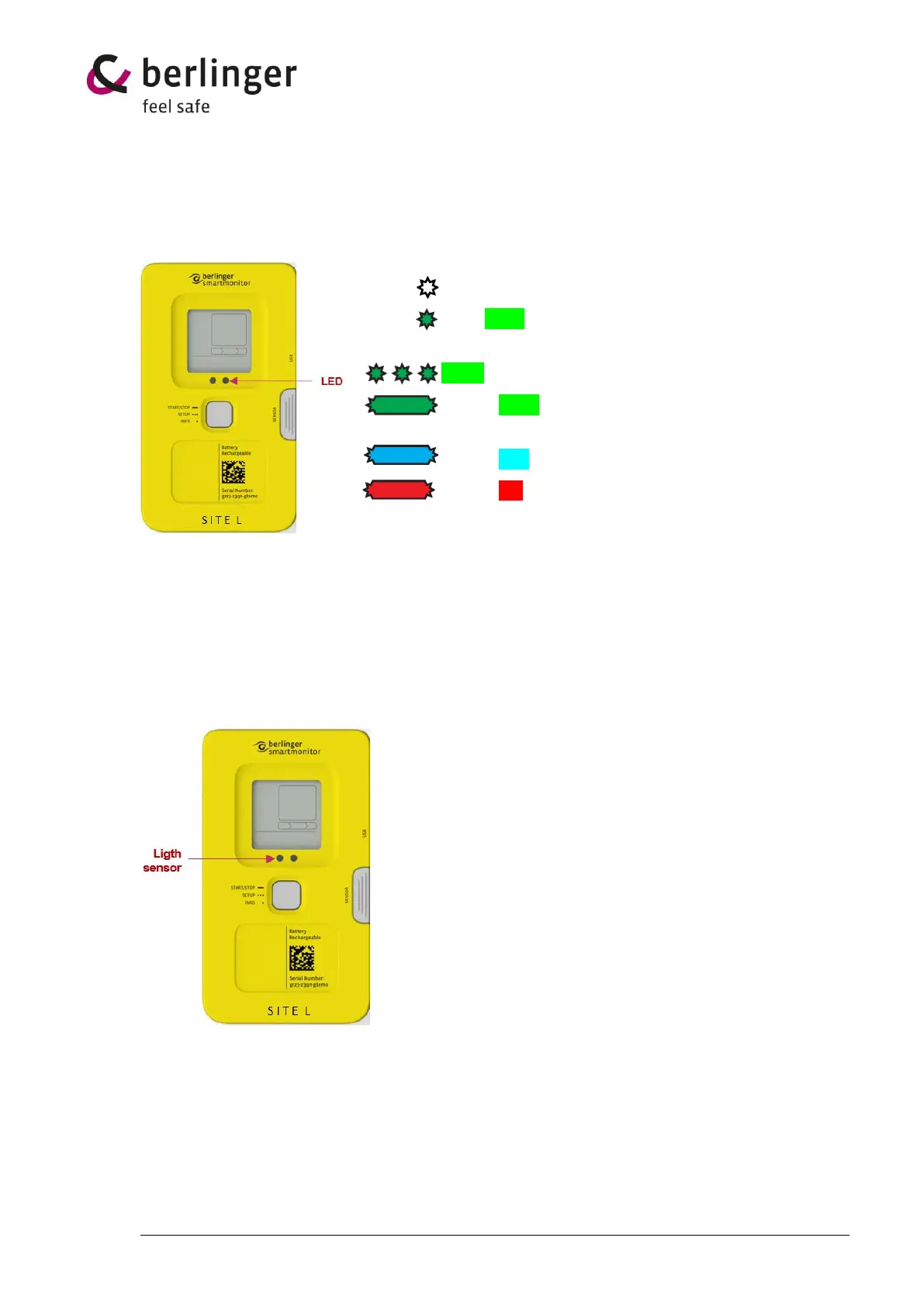
6 Confirmation LED
Device has an LED which gives an indication if the use of multifunctional button was successful or if a
task has been terminated.
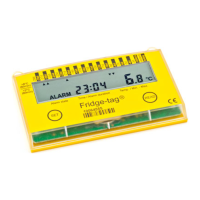
7 Light sensor
SmartMonitor SITE L device has a built-in light sensor to monitor to detect whether the environment
is light or dark. That sensor can be enabled or disabled in the Berlinger SmartView software (version
6.0 and higher).
Important:
Do not stick any label or tape over the light sensor.
1 x short white flash → Confirmation of an action or task
1 sec. green flash → “Cancel Message”
Short press has released too early.
Green blinking → when longpress is going on
1 x long green flash → Longpress was successful, multi-
functional button can be released
1 x long blue flash → Information about a BLE connection
1 x long red flash → Information about cancelling a status


 To Next Page