Draft version 01 Operatots Manual / SmartMonitor SITE L page 16 of 26
13 Usage Process
SmartMonitor SITE L is mainly used for monitoring the storage of temperature-sensitive
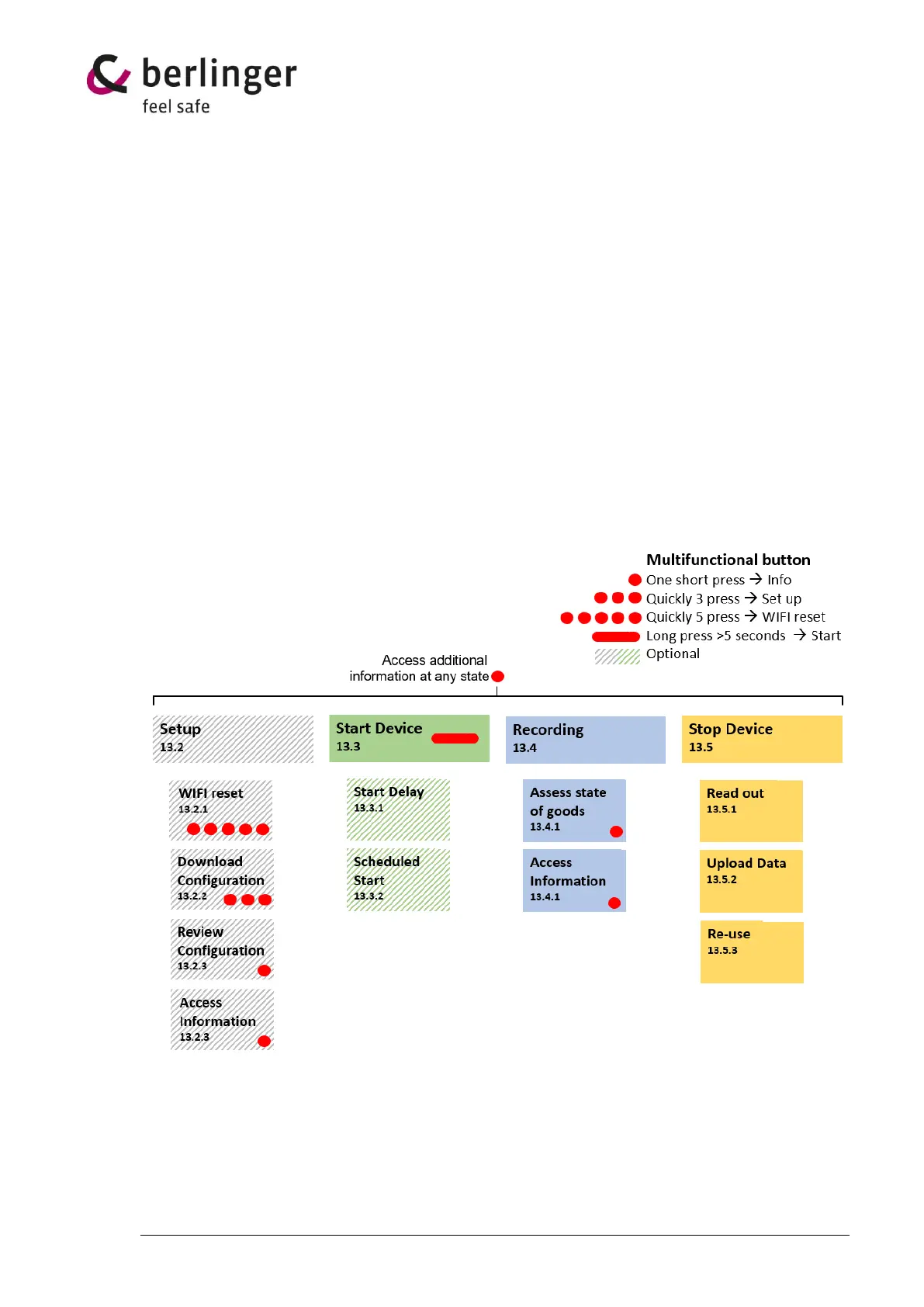
products. The device has various configuration options. The device states are visualized
below and described in more detail in the following chapters. The usage process may vary
depending on the configuration.
13.1 Preparation
13.1.1 Display check
To check the display, press once short the multifunctional button, the display will show the status of
the device.
13.1.2 Housing check
Check if the housing is not damaged and no label is attached over the light and humidity sensor.
13.2 Setup
To operate the SmartMonitor SITE L, a configuration on the device is needed.
It is also possible that a configuration is already loaded on the device.


 To Next Page