EasyManua.ls Logo

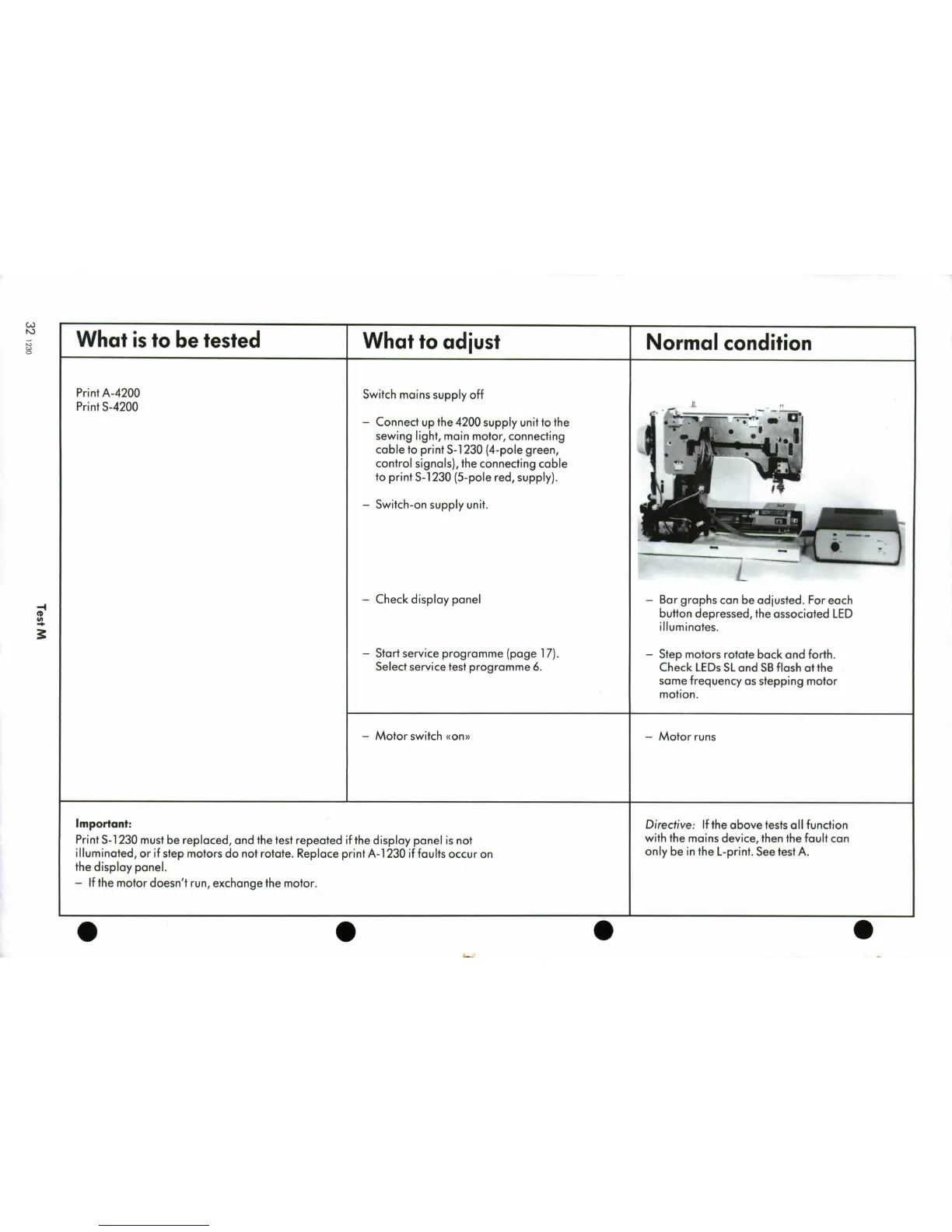
Bernina 1230 - Test M; Prints A-4200 and S-4200 Functionality

Bernina 1230
39 pages
Print Icon
To Next Page IconTo Next Page
To Previous Page IconTo Previous Page
Loading...
What
is
to
be
tested
What
to
adjust
Normal
condition
Print
A-4200
Switch
mains
supply
off
Print
S-4200
-
Connect
up
the
4200
supply
unit
to
the
....
sewing
light,
main
motor,
connecting
cable
to
print
S-1230
(4-pole
green,
control
signals),
the
connecting
cable
to
print
S-1230
(5-pole
red,
supply).
-
Switch-on
supply
unit.
-
Check
display
panel
-
Bar
graphs
can
be
adjusted.
For
each
button
depressed,
the
associated
LED
illuminates.
-
Start
service
programme
(page
17).
-
Step
motors
rotate
back
and
forth.
Select
service
test
programme
6.
Check
LEDs
SL
and
SB
flash
at
the
same
frequency
as
stepping
motor
motion.
-
Motor
switch
<on>
-
Motor
runs
Important:
Directive:
If
the
above
tests
all
function
Print
S-1230
must
be
replaced,
and
the
test
repeated
if
the
display
panel
is
not
with
the
mains
device,
then
the
fault
can
illuminated,
or
if
step
motors
do
not
rotate.
Replace
print
A-1
230
if
faults
occur
on
only
be
in
the
L-print.
See
test
A.
the
display
panel.
-
If
the
motor
doesn't
run,
exchange
the
motor.
0
0
0
0

Related product manuals