EasyManua.ls Logo

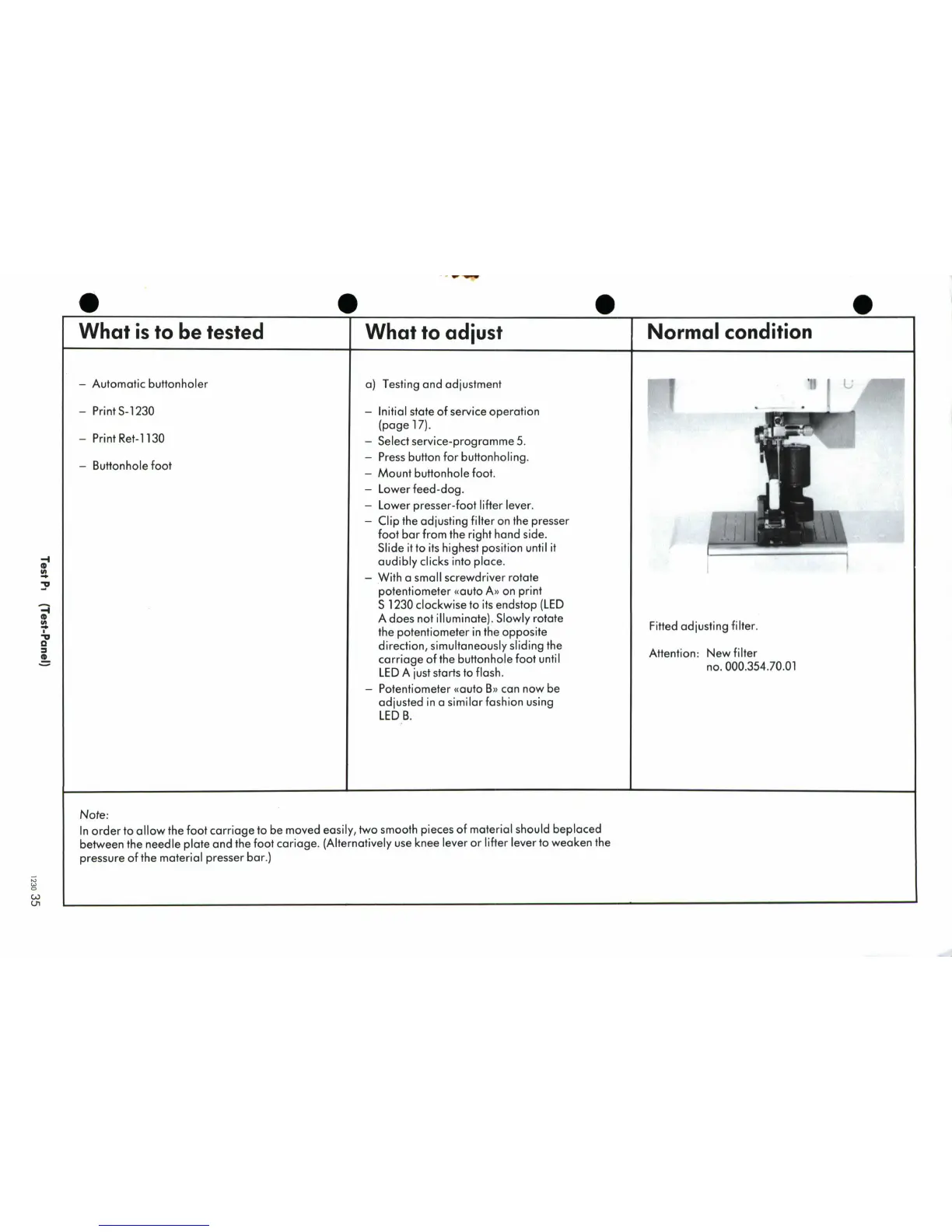
Bernina 1230 - Test P1; Automatic Buttonholer Adjustment

Bernina 1230
39 pages
Print Icon
To Next Page IconTo Next Page
To Previous Page IconTo Previous Page
Loading...
What
is
to
be
tested
What
to
adjust
Normal condition
-
Automatic
buttonholer
a)
Testing
and
adjustment
I
'H
-
PrintS-1230
-
Initial
state
of
service
operation
(page
17).
-
Print Ret-1130
-
Select
service-programme
5.
-
Bo-
Press
button
for
buttonholing.
-
Mount
buttonhole
foot.
-
Lower
feed-dog.
-
Lower
presser-foot
lifter
lever.
-
Clip
the
adjusting
filter
on
the presser
foot
bar
from
the
right
hand
side.
Slide
it
to
its
highest
position
until
it
V
audibly
clicks
into
place.
With
a
small
screwdriver
rotate
potentiometer
vauto
A
)
on
print
S
1230
clockwise
to
its
endstop
(LED
A
does
not
illuminate).
Slowly
rotate
the
potentiometer
in
the
opposite
a
direction,
simultaneously
sliding
the
acarriage
of
the
buttonhole
foot
until
LED
A
just
starts
to
flash.
no.
000.354.70.01
Potentiometer
((auto
B
can
now
be
adjusted
in a
similar
fashion
using
LED
B.
Note:
In
order
to
allow
the
foot
carriage
to
be
moved
easily,
two
smooth
pieces
of
material
should
beplaced
between
the
needle
plate
and
the
foot
cariage.
(Alternatively
use
knee
lever
or lifter
lever
to
weaken
the
pressure
of
the
material
presser
bar.)
U,

Related product manuals