EasyManua.ls Logo

Bernina 1230 - Test N; Ret-Button (Reverse Button) Test

Bernina 1230
39 pages
Print Icon
To Next Page IconTo Next Page
To Previous Page IconTo Previous Page
Loading...
*
___
___
What
is
to
be
tested
What
to
adjust
Normal
condition
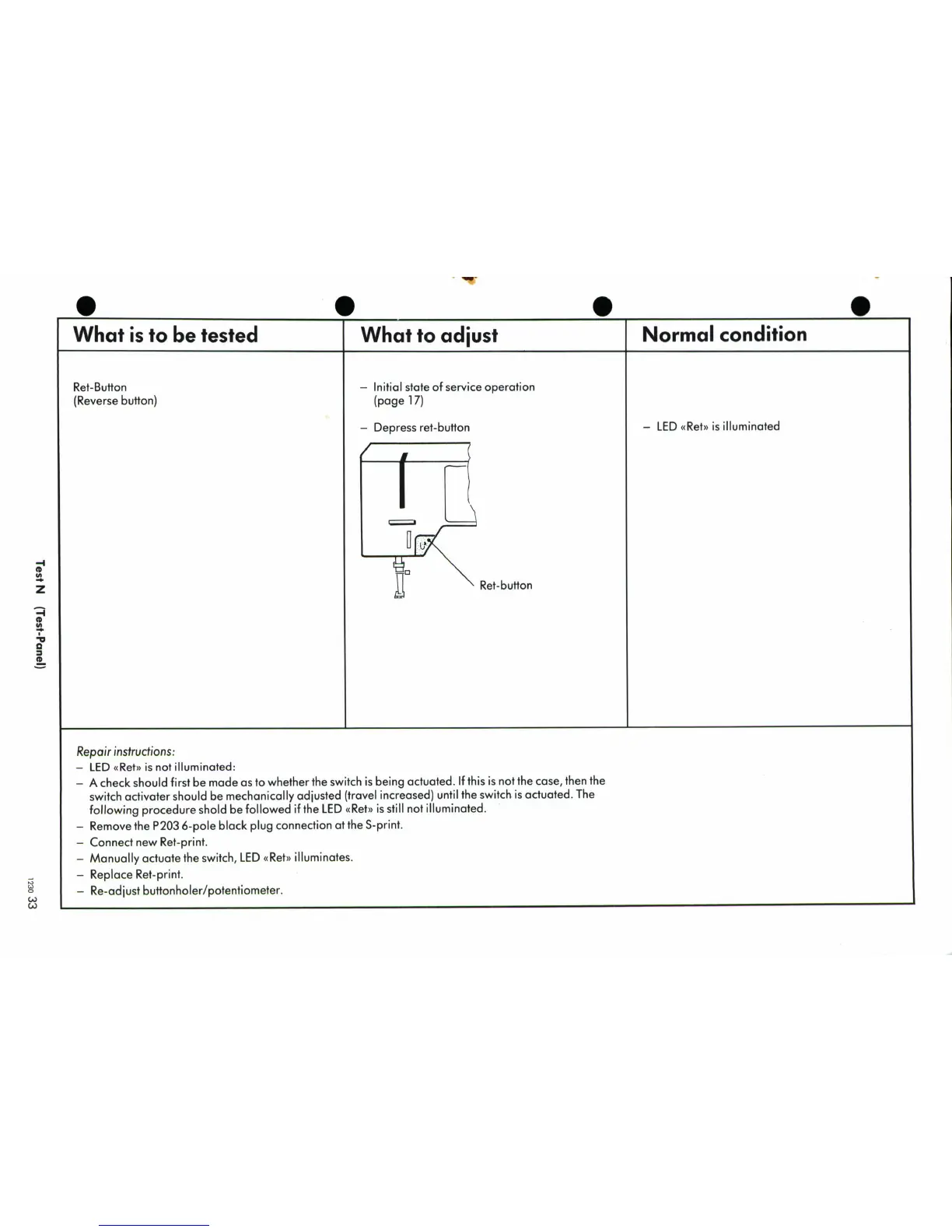
Ret-Button
-
Initial
state
of
service
operation
(Reverse
button)
(page
17)
-
Depress
ret-button
-
LED
Ret>
is
illuminated
I/-
,Z
Ret-button
z
0
Repair
instructions:
-
LED
Ret
is
not
illuminated:
-
A
check
should
first
be
made
as
to
whether
the
switch
is
being
actuated.
If
this
is
not
the
case,
then
the
switch
activater
should
be
mechanically
adjusted
(travel
increased)
until
the
switch
is
actuated.
The
following
procedure
shold
be
followed
if
the
LED
(Ret)
is
still
not
illuminated.
-
Remove
the
P203
6-pole
black
plug
connection
at
the
S-print.
-
Connect
new
Ret-print.
-
Manually
actuate
the switch,
LED
(Ret)
illuminates.
-
Replace
Ret-print.
-
Re-adjust
buttonholer/potentiometer.
CA)

Related product manuals