9
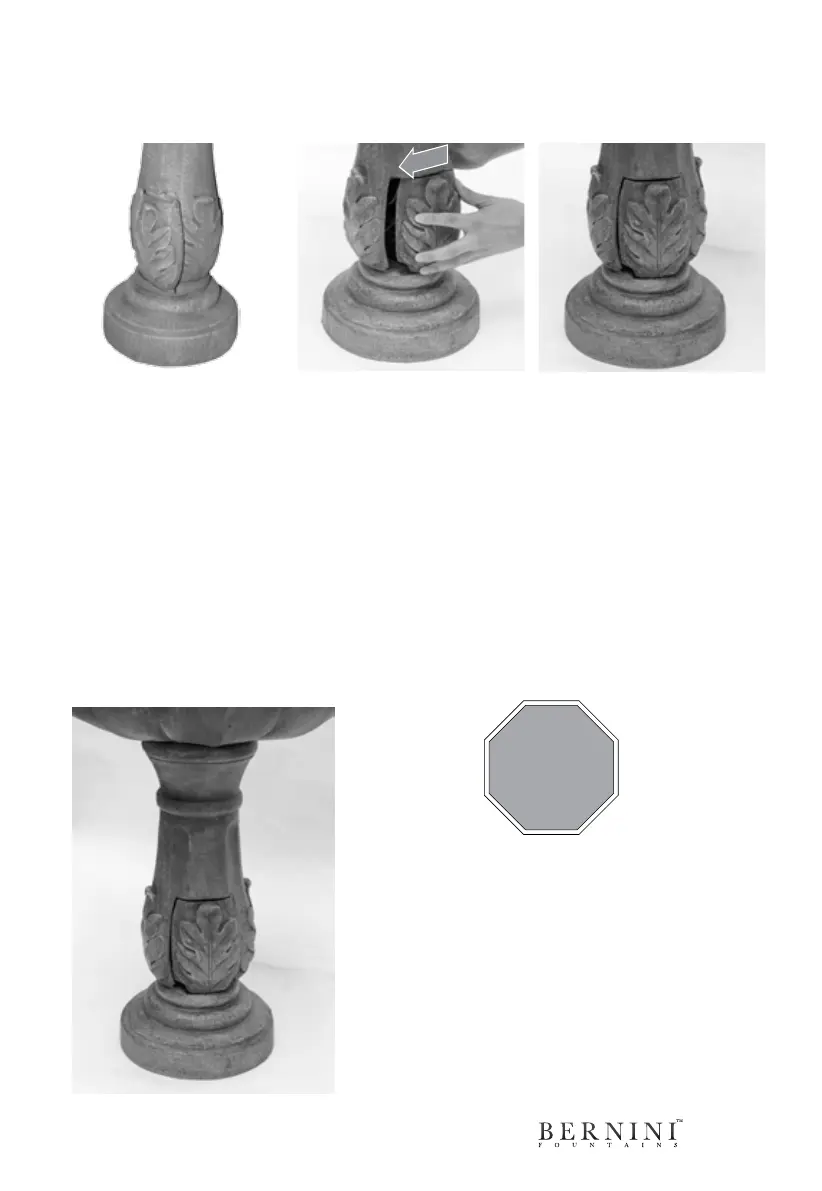
Step 1: Starting at the right
side of the compartment, line
up the battery door with the
door tracks.
Step 2: Then push the
battery compartment door
from right to left until it stops
moving.
Step 3: Once the door is
in place, you may notice a
small notch in the bottom
left corner of the battery
compartment door. This is
for the optional Bernini solar
panel cord.
Inserting Battery Compartment Door
After you have connected the cables inside your fountain to the rechargeable battery,
you should then place the battery compartment door on the base of the fountain.
STOP!
At this point, your fountain should look like the
image on the left. Go to the next page for the next
step to setup your new Bernini Fountain.



 To Next Page