User Manual for PH Warming Cabinets Beverage-Air
Rev. 01/21 Beverage-Air 13
USING THE UNIT
Operation is simple, just keep it connected to the correct
power supply and the warming cabinet will maintain the
internal temperature it has been set to. Keep the doors
closed as much as possible to avoid unnecessary run time.
Adjusting the set temperature higher will NOT cause the
system to raise the temperature faster.
The cabinet temperature was set at the factory at 160
º
F.,
but you can adjust it to your own selected temperature.
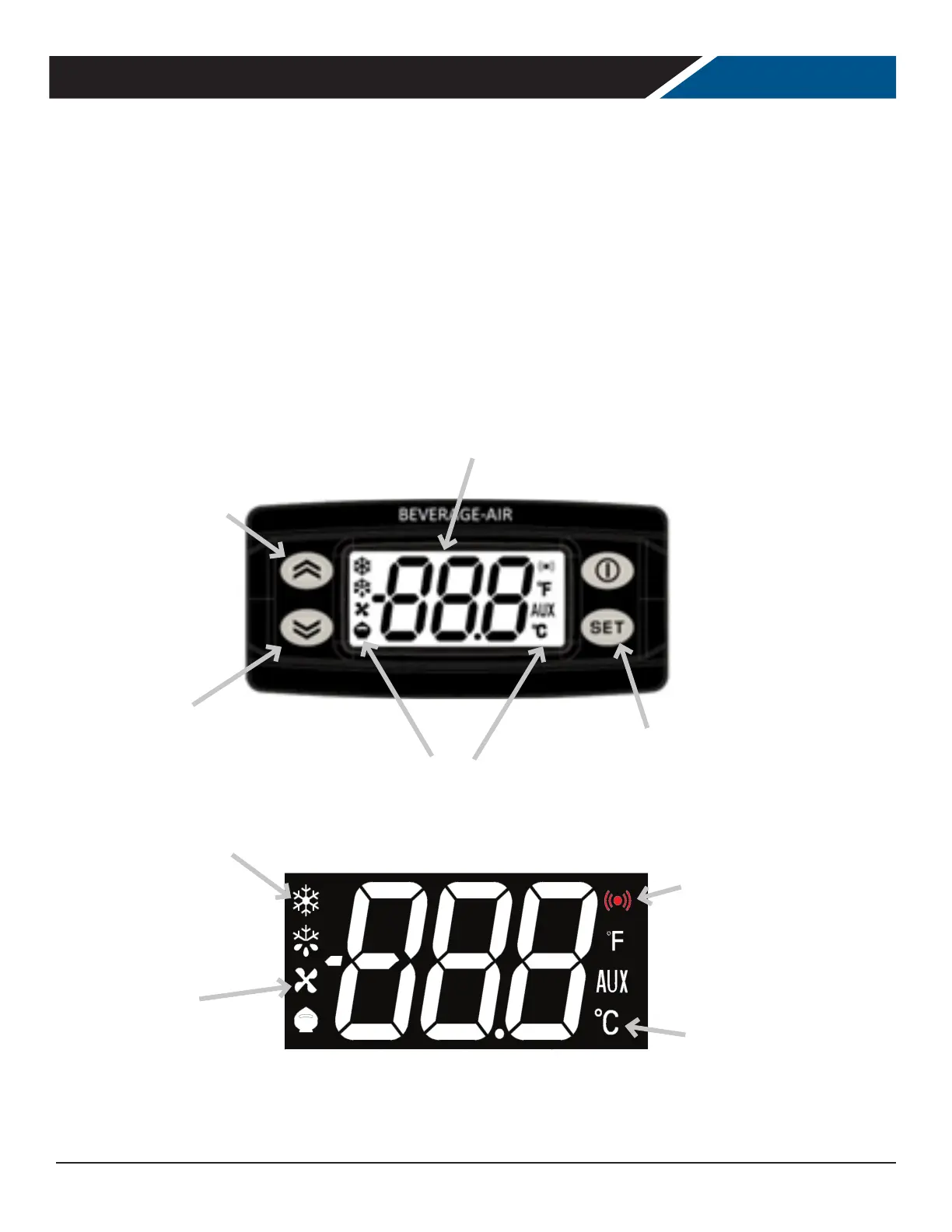
Push and release the Increase or Decrease buttons to
make a change. 30 seconds after adjustment, the display
automatically reverts to showing the current temperature.
If equipped with glass doors, holding the SC button in will
turn the cabinet light on or o.
Icons
Increase
Decrease
Changes begin with SET
Display
On – Heating element energized
Blinking – delay, protection or
start blocked
O – heating element o
On – circulating fans active
O – circulating fans o
On – active alarm condition
Blinking – alarm acknowledged
O – no active alarms
On – current temperature scale


 To Next Page