14/30 Attaching and changing the cable
ATTACHING AND CHANGING THE CABLE
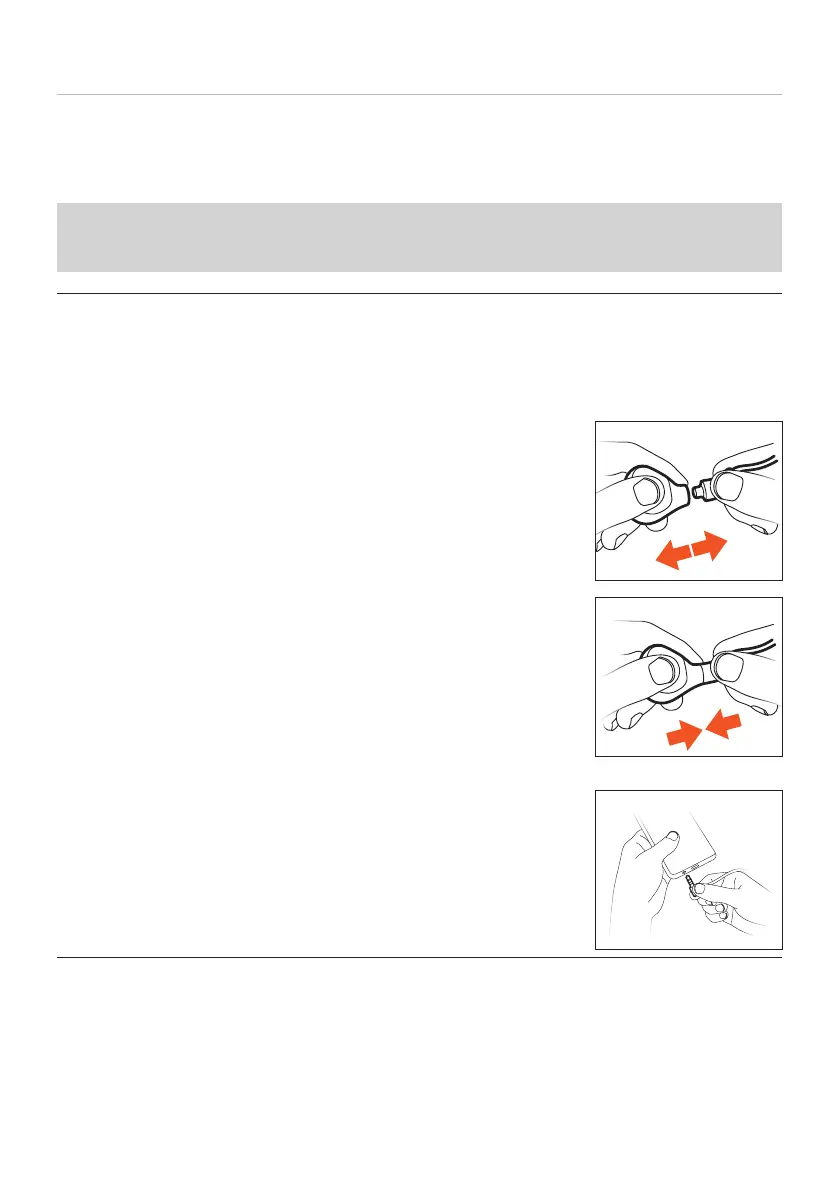
Xelento wireless in-ear headphones have plug-in cables on the earphone housings with
andard MMCX connectors with locking mechanisms.
When detaching or attaching the cable on the Xelento wireless earphones or the play-
back device, always hold the cable by the connector to avoid damaging the cable or
earphones. Do not pull directly on the cable!
Detaching / attaching the cable on the earphone
1. To detach or attach the cable, hold the in-ear
headphones by the earphone housing and the plug.
Never pull directly on the cable! The cable or the
earphone may be damaged if you do!
2. Detach the cable.
3. Attach the cable.
Detaching / attaching the jack lead on the playback
device
► Hold the lead by the jack plug and detach or attach.















 To Next Page