20/30 Operation
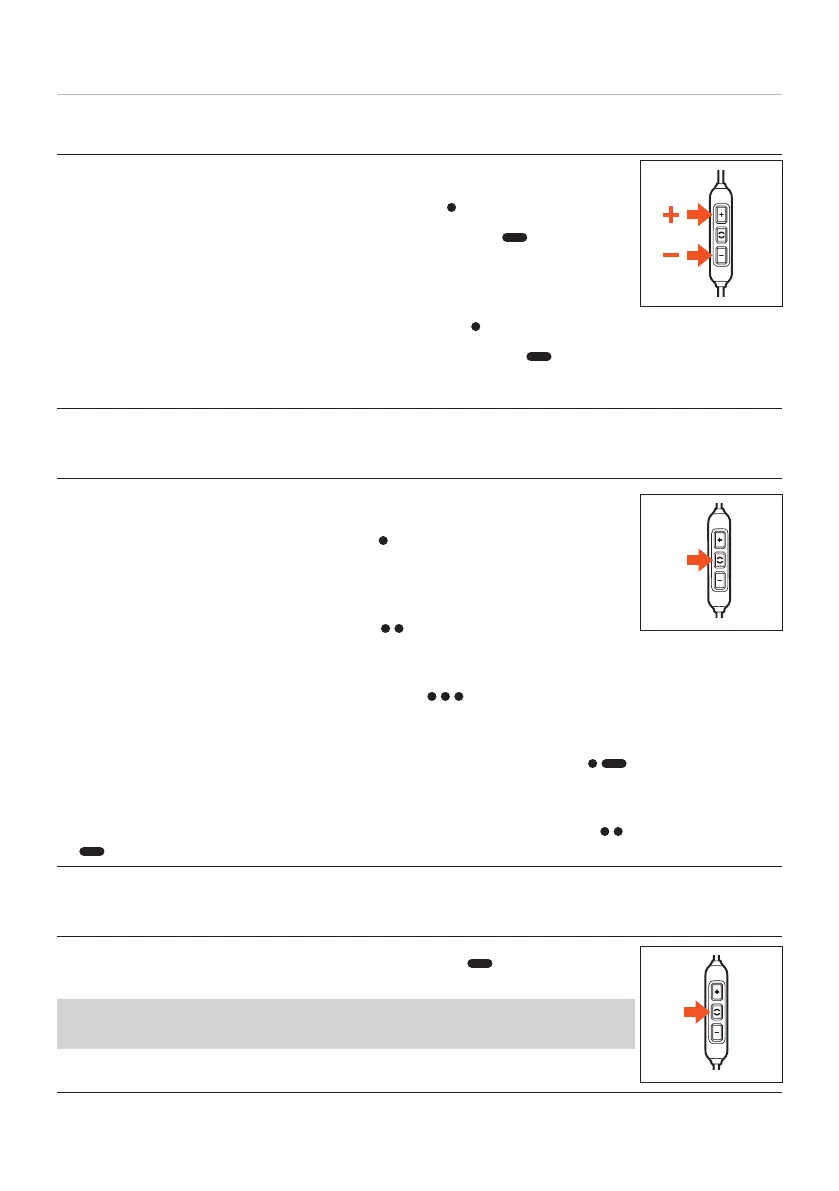
Adjuing the volume
To increase volume
► In ages: briefly press the volume-up button (
).
► Continuously: press and hold the volume-up button ( ).
A signal tone indicates maximum volume reached.
To decrease volume
► In ages: briefly press the volume-down button (
).
► Continuously: press and hold the volume-down button ( ).
A signal tone indicates minimum volume reached.
Playing media
To a / op media playback
► Briefly press the middle button once (
) to a or op media
playback.
To play the next track
► Briefly press the middle button twice (
).
To play the previous track
► Briefly press the middle button three times (
)
Fa forward
► Press the middle button twice, holding it down the second time ( ).
Rewind
► Press the middle button three times, holding it down the third time (
)
.
Calling up a viual assiant
► Press and hold the middle button for 2 seconds ( ) to call up a
viual assiant (Siri, Google Assiant etc.).
To use the Alexa viual assiant, it mu be successfully inalled on
the playback device and selected once in th eMIY App.















 To Next Page