User Manual for USB Phone with LCD
- 17 - Version 2.0.0.2 2006-07-11
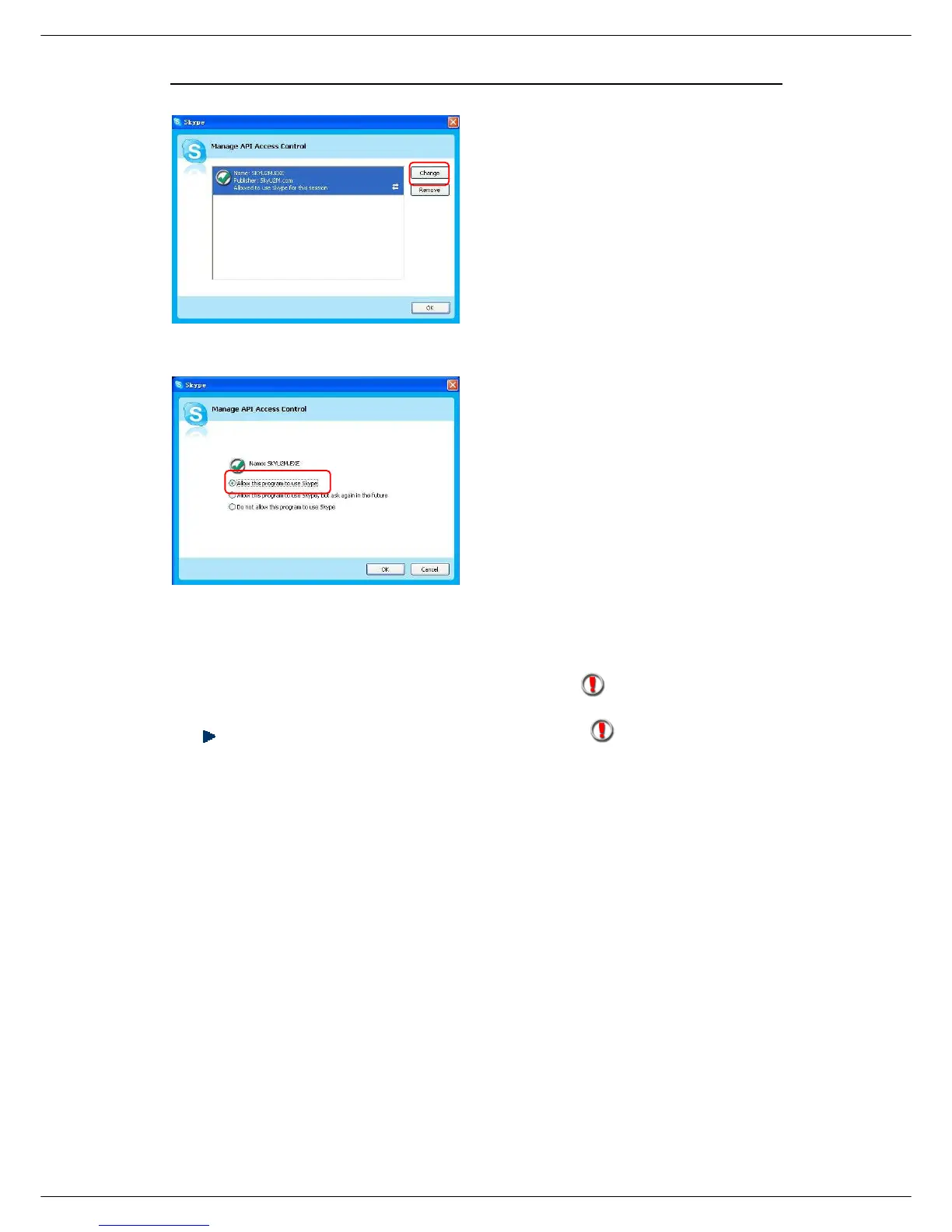
Step 3: Choose “Change”
Step 4: Choose “allow this program to
use Skype”
Q2: After turning on the computer, I see the icon . Why?
There are two possible causes if you see the icon :
1) The USB phone fails to communicate with your PC. Please check whether the
USB port is in a normal state.
2) The USB phone fails to work normally in Windows. You may need to reinstall
the device driver. Please follow the steps below:
“Start”—“Setting”—“Control Panel”—“System”—“Hardware”—“Device Manager”
Then, you will see the following window. Please check whether these three
devices below are in a normal state.
“USB Human Interface Device”,
“USB Audio Device”
“USB Composite Device”



 To Next Page