WHILE IN THE SUB-MENU
DISPLAY DESCRIPTION
USE TO TURN ON AND TO TURN OFF THE SELECTED FEATURE.
USE THE BUTTON AS “ENTER” TO CONFIRM THE DESIRED VALUE
PRESS AND AT THE SAME TIME TO RETURN TO THE MAIN MENU
Navigation of the sub-menu is the same as the main menu. Once a sub-menu selection has been made:
LOGIC OPTIONS
●
TCA – Auto Close Timer. Default: OFF
●
3 STEP – Instant reverse. Gate instantly reverses on START activation during the
CLOSE cycle as opposed to stopping and requiring a 2
nd
START input for re-opening.
Default: OFF
●
IBL OPEN – Ignore START input during OPEN cycle . Default: OFF
●
FAST CLS – Gate closes immediately after SAFETY input is cleared. Default: OFF
●
PHOTOC OPEN – Ignore SAFETY input during OPEN cycle. If OFF, gate stops on
SAFETY input activation during the OPEN cycle. Default: OFF
●
TEST PHOT – Enables the SAFETY input supervision circuit. Default: OFF
●
1 MOT ON – Single gate operation. Ignores MOTOR 1. Default: OFF
●
BLOC PERSIST – Operator pushes for 0.5 seconds after CLOSE limit is
reached. PHYSICAL GATE STOP IS REQUIRED. Default: OFF
●
START-CLOSE – Converts START/CLOSE input into CLOSE ONLY input.
Default: OFF
●
FIXED CODE – Disables the receiver's rolling code feature. Default: OFF
●
RADIO PROG – Enables Quick Remote Programming. Default: ON
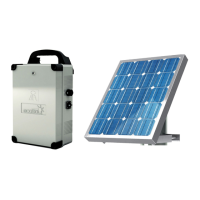
NO EFFECT WITH ECOSOL
NO EFFECT WITH ECOSOL
●
MASTER – NOT USED. Default: OFF
DO NOT USE WITH ECOSOL
LOGIC SUB-MENU
25
www.BFTGateOpeners.com | (800) 878-7829


 To Next Page