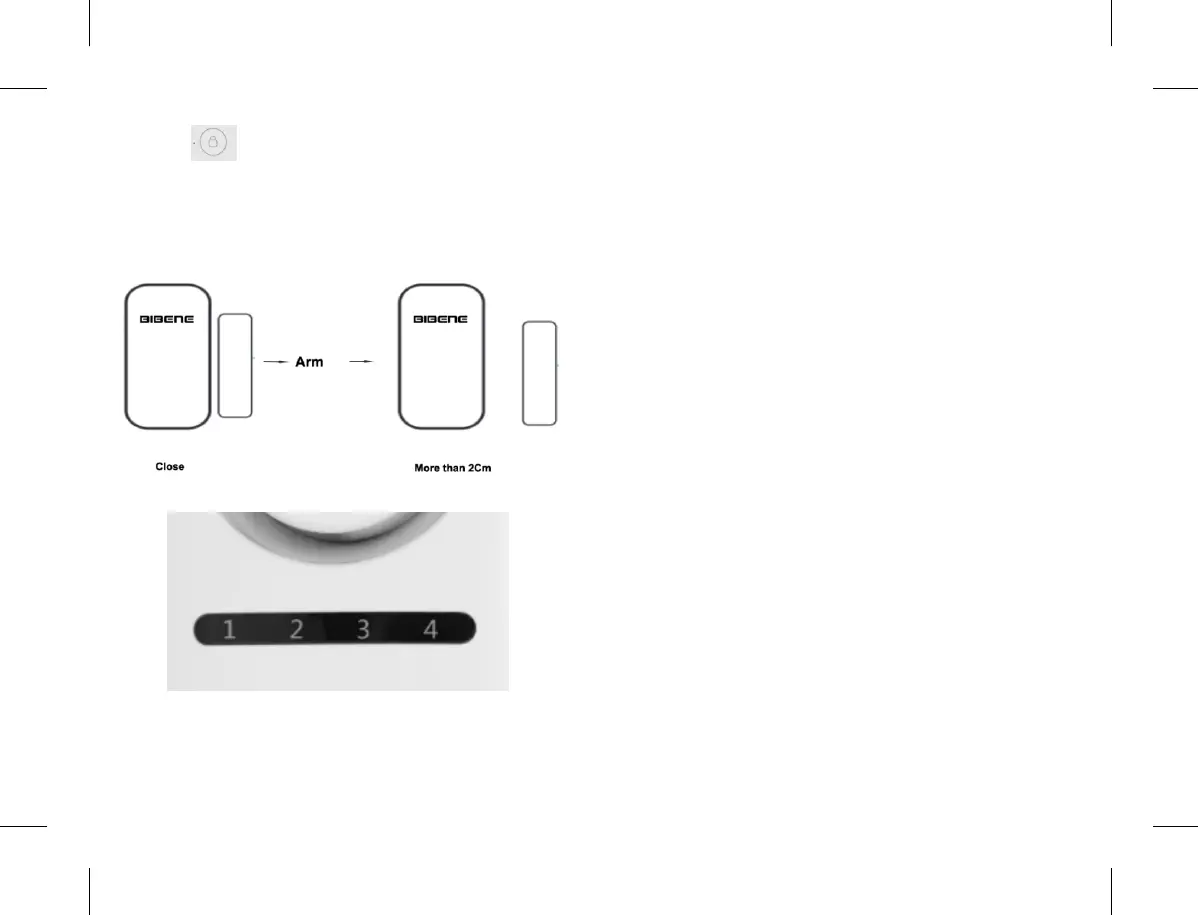
3) Press on main panel to ARM.
4) Separate the transmitter and magnet over than 2CM, it
will trigger alarm
5) W he n a la r m is t r ig g er e d, t he LE D ind i ca t or o f
corresponding alarm zone will flash to make you quick
distinguish
6. Zone Features Introduction
6.1 Features of 4 Mode Zones
Please Note:
Zone Features & Setting is only applicable to door sensor
or PIR motion Accessory, not applicable to main panel.
Ordinary Zone:
When trigger alarm,the main panel will emit siren sound
on the status of Arming, NO alarm sound when under
disarming status.
Doorbell Zone:
When trigger alarm, the main panel will always emit
doorbell sound no matter under arm or disarm status.
Emergency Zone:
When trigger alarm, the main panel will emit siren sound
no matter under arm or disarm status.
Welcome Zone:
When trigger alarm, the main panel will emit siren sound
on arming status,and emit doorbell sound on disarming
status.
6.2 List of zone feature setting:
7 8


 To Next Page