17
1. If the motor is located on the right side of your
gate,conrmthatDIPSwitch2 is toggled up. If
the motor is located on the left side, make sure
that DIP Switch 2 is toggled down.
2. Clear any obstacles from the gate’s path and
keep all bystanders away.
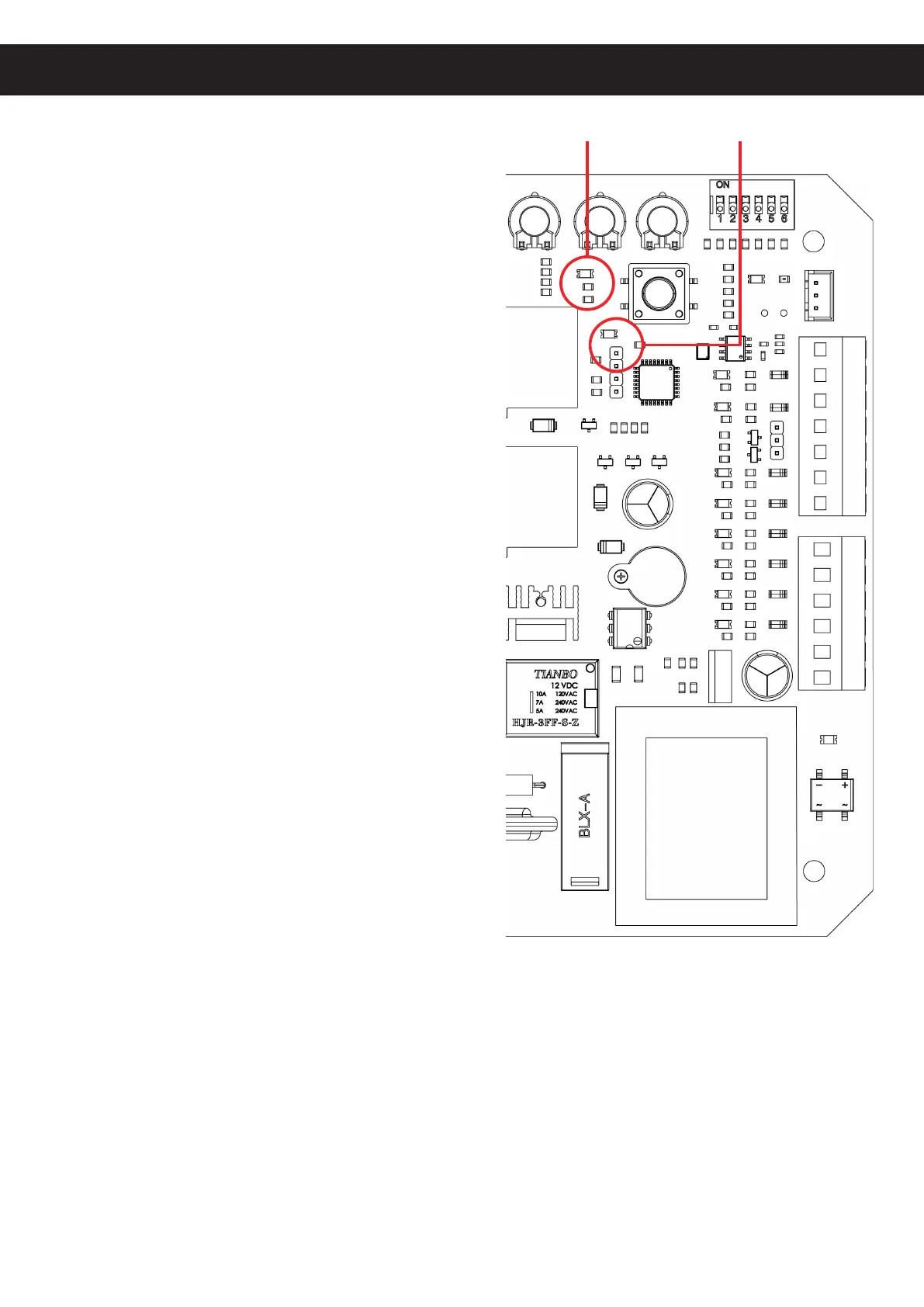
3. Activate the power to your motor. The power and
infrared (8) indicator lights should come on.
4. Test the infrared sensors by blocking the path
between the two sensors with any obstacle.
The infrared indicator light (8) should turn o.
Remove the obstacle. The indicator light should
come back on.
5. The top button on both of your remote controls
should already be paired with your motor. They use
a single control mode at a distance of up to 98 feet
(30 m). Pressing either button should cycle through
thecommandsOPEN→STOP→CLOSE→STOP.
The remote pairing indicator light should come on
each time a signal is received.
6. When the gate reaches the open limit switch,
the open limit indicator light (13) should come on
and the gate should come to a stop.
Be ready to manually stop the gate using the remote
if the limit switch does not activate correctly.
If the limit switch is so close that it contacts
the motor housing or is so distant that it fails to
activate the motor’s sensor, adjust its support
bracket as needed to correct the problem. If the
limit switch stops the gate too early or too late,
adjust the location of the support bracket so that
the gate will gently stop in the correct place.
7. If you have activated the automatic close
function, test that it works correctly. Wait the set
amount of time, and see if the gate begins closing
automatically. Conrm that the remote can still
stop the gate when it is closing automatically.
Power Remote Pairing
13
11
8
Indicator Lights
Initial Testing
8. When the gate reaches the close limit switch, the close limit indicator light (11) should come on
and the gate should come to a stop. Again, be ready to quickly stop the gate with the remote
if needed and adjust the support bracket as needed.
9. Test both remotes through the full cycle of commands.
10. Deactivate the power to your motor using its circuit breaker. If any abnormalities have been
detected during testing, make the necessary adjustments—e.g. by repositioning the infrared
sensors, realigning the limit switches, or adjusting the control panel’s sensitivity settings—or
contact Customer Service. Once everything is functioning, replace the circuit board and motor
covers and their fasteners, reconnect power, and enjoy!



 To Next Page