5
Installation
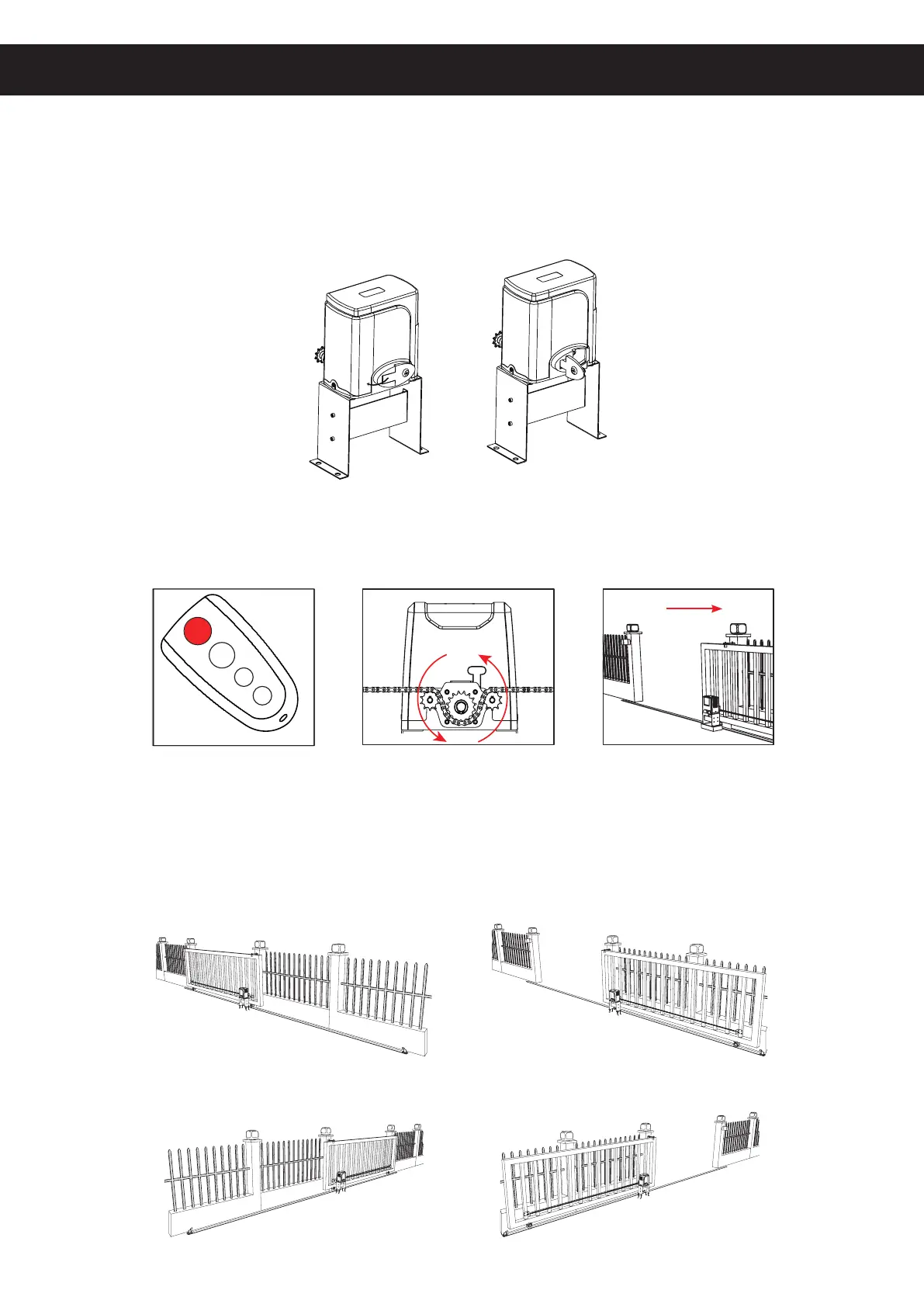
Initial Testing and Setup
1. Whenyourstreceiveyourmotor (A),useoneofthemanualreleasekeys(B)toopenthe
motor’sreleasebar90°.Thisreleasesthemaingear’snormallockingmechanismformanual
testing.Conrmthatthegearsrotatefreelyandsmoothlybyhand.Closethereleasebarand
lockthegearbackintoitsnormalconguration.
2. Plug the motor into any stable, compatible, and well-grounded power source. Use one of the
providedremotecontrols(C)toconrmitsoperation.Thetopbuttononbothremotesshould
already come paired to your motor’s circuit board. If they are not, see the instructions for Remote
Pairing below.
The default setting for this gate opener is single-button control, which helps prevent accidents
and malfunctions from contradictory inputs. Press the top button once to start the motor. This
should cause the main gear to begin turning counterclockwise, which opens gates towards the
right. If you will need to install your opener on the left side of your gate, see the instructions for
Reversing Direction below.
Standard Right Side Installation
Closed
Closed
Open
Open
Optional Left Side Installation



 To Next Page