17
Binatone Help Line : 0845 345 9677
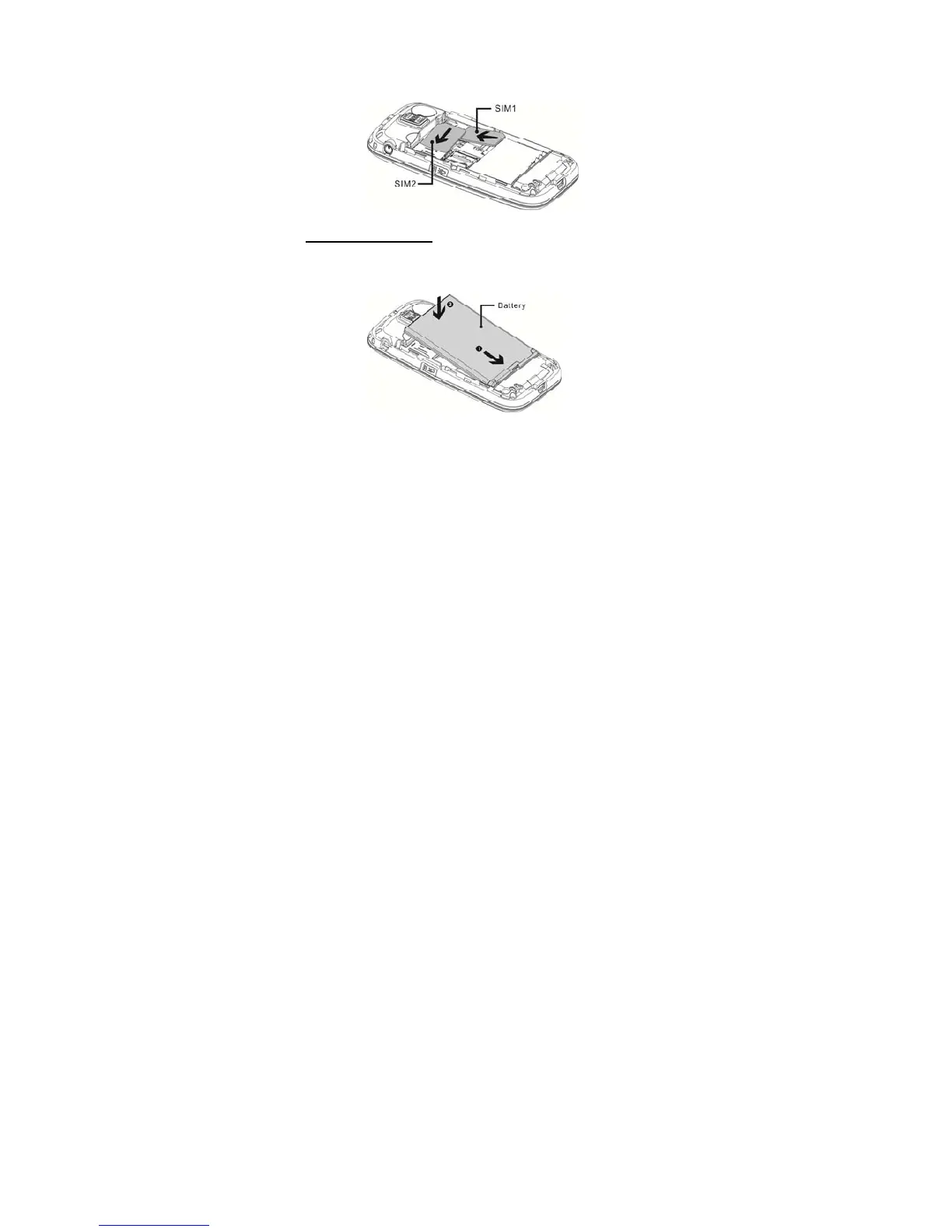
3. Slide the SIM card into SIM1 or SIM2. Make sure that
the metal contact of the card is facing down and the
beveled corner is in the direction as shown in the picture.
5.2 Insert Battery
1. Align the gold contacts of the battery with the
corresponding connectors in the battery compartment.
2. Push down the battery until it clicks into place.
3. Replace the back cover by aligning the back cover
tabs with the notches located in the back panel.
4. Close the back cover by pushing it down until it clicks
into place.



 To Next Page