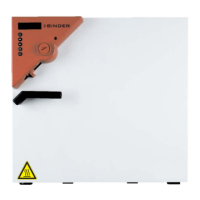
What to do if I need to dry and aerate my Binder MK 240 after disinfection?
- DDale ValenciaAug 16, 2025
After using disinfectant spray in your Binder Climate chamber, allow the chamber to dry thoroughly, and ensure it is sufficiently aerated.
What to do if I need to dry and aerate my Binder MK 240 after disinfection?
After using disinfectant spray in your Binder Climate chamber, allow the chamber to dry thoroughly, and ensure it is sufficiently aerated.
Why should I not empty disinfectant into drains when cleaning my Binder MK 240 Climate chamber?
Do NOT empty the disinfectant into drains to prevent environmental damage from disinfectant disposal.
How to troubleshoot a Binder climate chamber that has no function?
If your Binder climate chamber isn't working, first check the power supply connection. Then, verify that the power supply voltage is correct. Ensure the main power switch is turned on. For MK/MKT 115, 240, and 720 models, also check and turn on the rear power switch. Inspect the chamber fuse and replace it if needed; if it fails again, contact BINDER service.
Why is there no or low refrigerating performance in my Binder climate chamber?
If your Binder climate chamber has low refrigerating performance, ensure the ambient temperature is not higher than 25 °C / 77°F and if it is, select a cooler place for installation. If the problem persists, contact BINDER service to check the compressor.
What to do if Binder climate chamber is heating permanently and not maintaining the set-point?
If your Binder climate chamber is constantly heating and not maintaining the set-point, calibrate and adjust the controller. If this doesn't resolve the issue, contact BINDER service.
What to do if Binder climate chamber doesn’t heat up when turned on and safety controller responds?
If your Binder climate chamber doesn’t heat up when turned on and the safety controller responds, acknowledge the alarm on the controller. Then, check the temperature setpoint setting. If it’s too low, select a suitable safety controller setpoint.
Why my Binder climate chamber doesn’t heat up?
If your Binder climate chamber isn’t heating up, contact BINDER service to check the heating element.
Why does my Binder climate chamber display “Preheat phase” and has no refrigerating performance?
If your Binder climate chamber shows “Preheat phase” and has no refrigerating performance, ensure the main power switch (and rear power switch for MK / MKT 115, 240, 720 models) was turned on at least one hour before operating the chamber.
What to do if acknowledging the alarm does not cancel the alarm state on Binder climate chamber?
If acknowledging the alarm on your Binder climate chamber does not cancel the alarm state, remove the cause of the alarm. If the alarm continues, contact BINDER service.
How to prevent condensation on samples in Binder climate chamber?
If you notice condensation on the samples in your Binder climate chamber, use the anti-condensation protection feature.
Details the structure of safety instructions, signal words, symbols, and pictograms for hazard communication.
Provides crucial safety instructions for chamber installation, operation, and general precautions to prevent accidents.
Introduces the MB2 controller, its operating functions in normal display, and different display views.
Guides on turning on the chamber and configuring controller settings upon initial start-up.
Details how to enter setpoints in fixed value mode and activate special controller functions via operation lines.
Explains how to start, stop, and manage timer programs, including performance and delay times.
Covers creating, editing, deleting time programs, sections, and value entries.
Describes over-temperature protective devices, safety controller modes, and setting procedures.
Provides a comprehensive guide to identify and resolve common chamber faults and operational issues.
Details the structure of safety instructions, signal words, symbols, and pictograms for hazard communication.
Provides crucial safety instructions for chamber installation, operation, and general precautions to prevent accidents.
Introduces the MB2 controller, its operating functions in normal display, and different display views.
Guides on turning on the chamber and configuring controller settings upon initial start-up.
Details how to enter setpoints in fixed value mode and activate special controller functions via operation lines.
Explains how to start, stop, and manage timer programs, including performance and delay times.
Covers creating, editing, deleting time programs, sections, and value entries.
Describes over-temperature protective devices, safety controller modes, and setting procedures.
Provides a comprehensive guide to identify and resolve common chamber faults and operational issues.
| Volume | 240 L |
|---|---|
| Power Supply | 230 V, 50/60 Hz |
| Humidity Fluctuation at 25 °C / 60 % RH | ±1.5 % RH |
| Max. Load per Shelf | 30 kg |
| Humidity Range | 10 % RH to 98 % RH |
| Number of Shelves (Standard/Max) | 2 / 6 |
| Temperature Fluctuation at 25 °C | ±0.3 °C |
Loading...