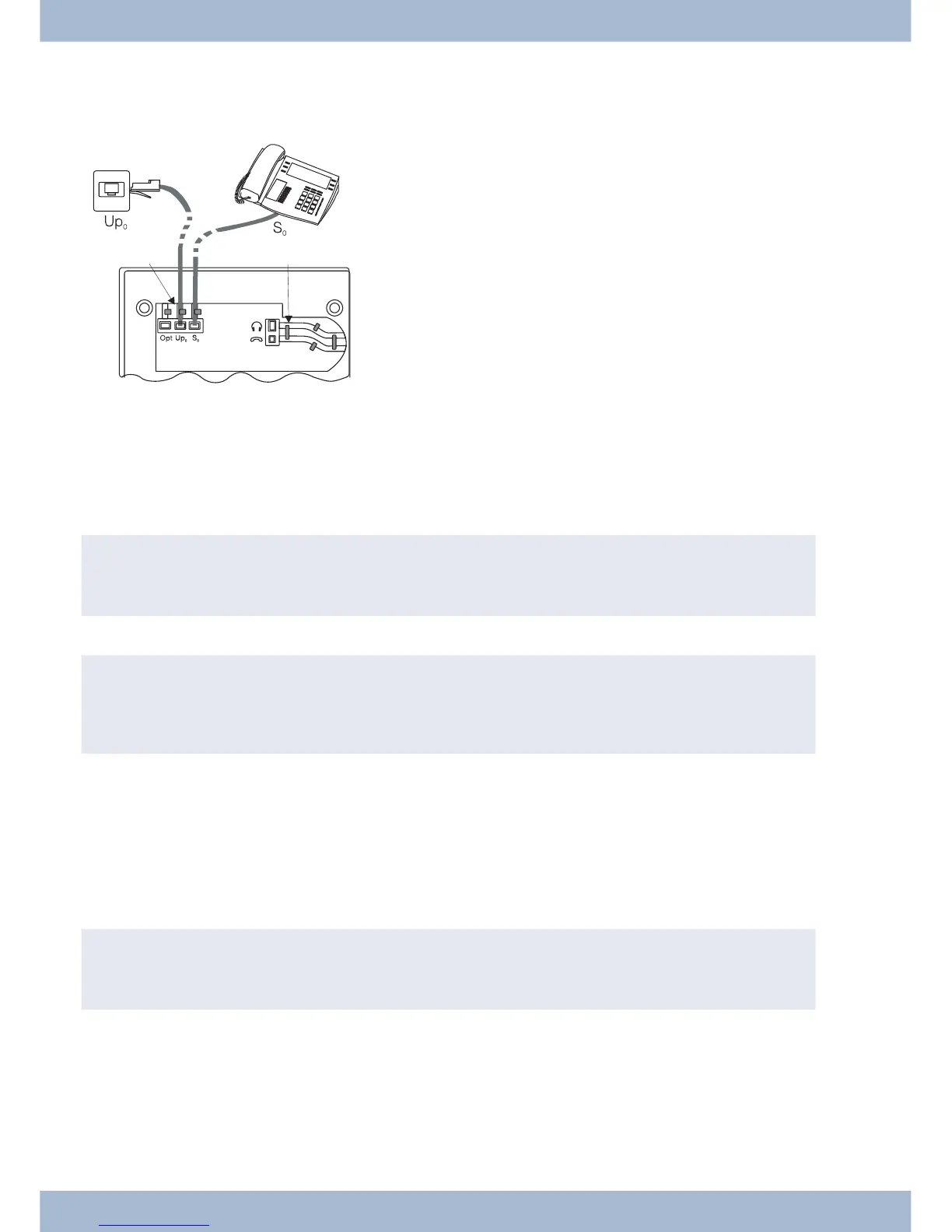
Up0-connectorCS410-U, telephone with »Up0/S0« module)
Con nect the S-cord
1
as shown in Fig. (so cket Up0). Plea se note that the lon ger ISDN plug must be in ser ted in the
ISDN so cket and the shor ter ISDN plug must be in ser ted in the ISDN so cket on the sys tem te le pho ne. Next pla ce the
S-cord ca ble in the ca ble gui de
2
and clamp it se cu re ly un der the ca ble clips
3
.
,
The elmeg CS410 with »Up0/S0« mo du le and the CS410-U may no lon ger be con nec ted to an ISDN con nec -
tor via an S0 so cket (e.g. in ter nal S-con nec tor of the PABX).
,
You can con nect a furt her ISDN ter mi nal with S-in ter fa ce (e.g. an ISDN card or anot her sys tem te le pho ne)
to the S0 so cket on the sys tem te le pho ne. The po wer supp ly at this con nec tor for anot her ISDN terminal is 1
Watt.
Connecting and setting the headset (not included)
You can con nect a he ad set to the sys tem te le pho ne. Plea se ask your dea ler or con sult the In ter net to find out which
he ad sets are compatible.
The he ad set con nec tor on the sys tem te le pho ne is an 8-pin so cket. He ad sets with DSHG in ter fa ce (e.g. cord less DECT
he ad sets) can be con nec ted di rect ly to the sys tem te le pho ne wit hout any ac ces so ries. For stan dard he ad sets (4-pin
cord, e.g. U10PS) use the adapter cable supplied.
,
The op tio nal ans we ring ma chi ne mo du le and a he ad set with DSHG in ter fa ce can be con nec ti on to/in stal led
on the CS410-U simultaneously.
Connecting the headset
The he ad set is con nec ted to the se pa ra te he ad set so cket on the sys tem te le pho ne as shown on page in Fig. . Next pla ce
the he ad set ca ble
3
in the ca ble gui de
4
and clamp it se cu re ly un der the ca ble clips
5
.
If the he ad set cord does not fit in the ca ble gui de, stick the ad he si ve ca ble clip supp lied on to the base of the sys tem te -
le pho ne
7
. Then lay the headset cord under this clip.
Un pa cking and po si tio ning the sys tem te le pho ne Extensions for the system telephone
10



 To Next Page