How to install BFM-900L 21
BFM-900L
FETAL MONITOR
(
Ver 1.1
)
20 How to install BFM-900L
4.4 Printer Paper Loading
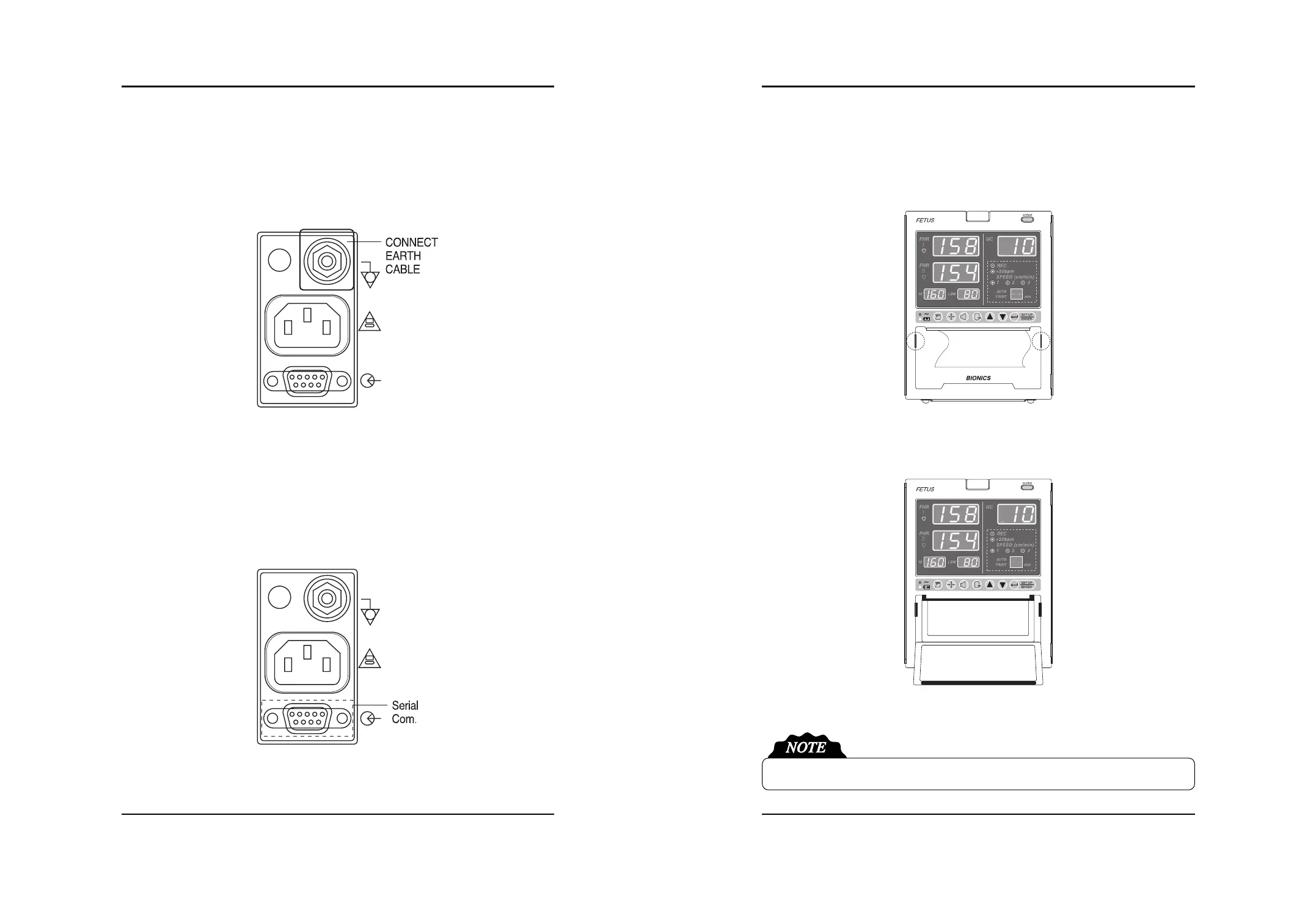
- In order to put the printing paper in the tray, push the buttons on the side of the front panel of the
printer door and pull forward.
- When you pull the door forward the door will open and you will see the area where you can place
the roll of printing paper, as well as the printer machine, and black roller on the inside of the door.
- Make sure the paper’s printing side is facing up and then close the printer door.
3) Ground Cable Connection
Connect the Ground Terminal of the main body with the Ground Terminal of the installation
place.
4) Serial Cable Connection
Connect the Serial Connection Part of the main body with the Serial Terminal of the installation
place.
Printer paper should be printed side upward. If not, it will not be printed on the paper.


 To Next Page