Setting by Menu Function 37
BFM-900L
FETAL MONITOR
(
Ver 1.1
)
36 Setting by Menu Function
CHAPTER 6
Setting by Menu Function
Menu cannot be set on the volume control mode.
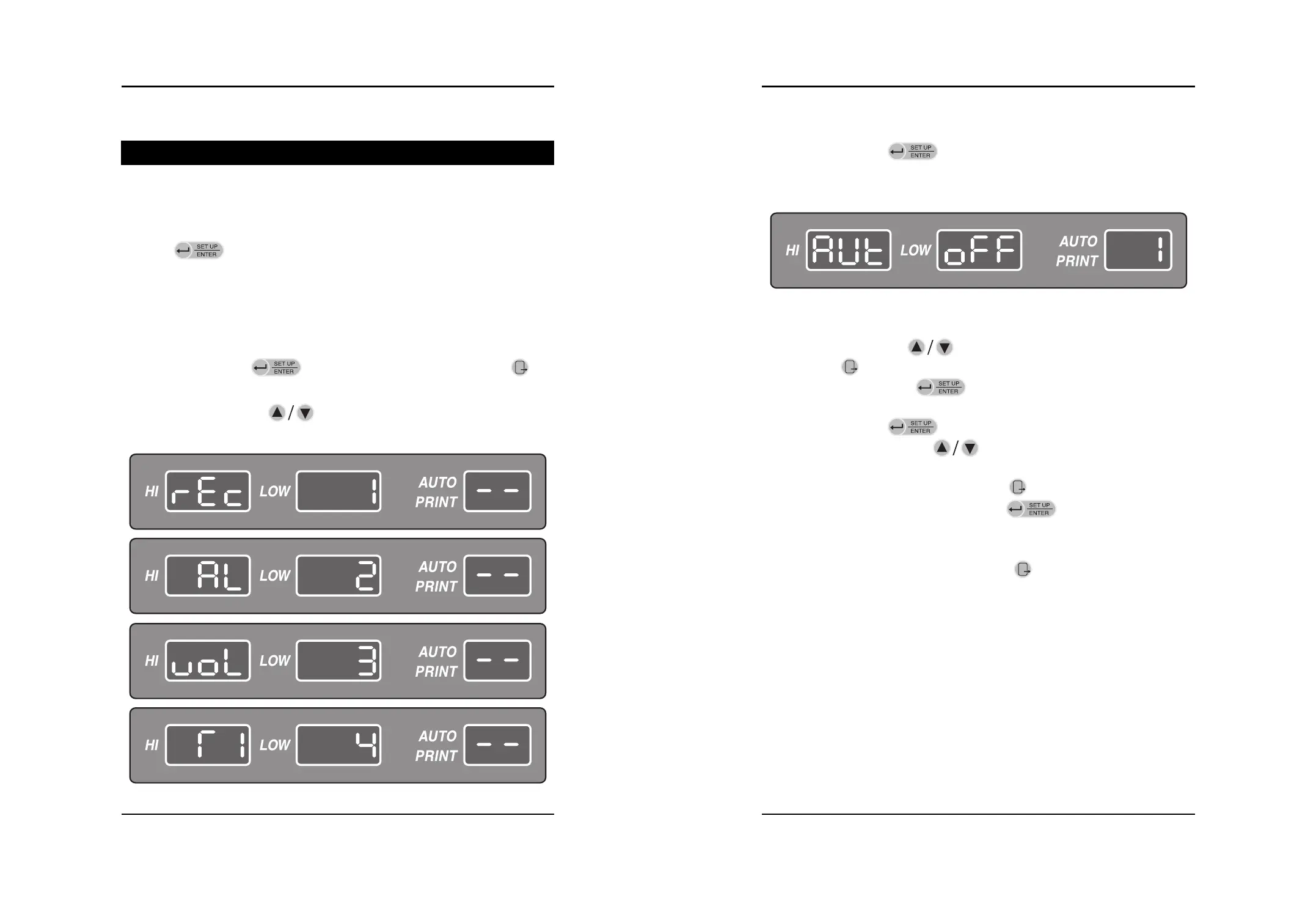
Setup Key( ) changes various setting values as follow:
Record : Sets the printer status: Printer Relevant Setting Value
Alarm : Alarm Sound Making Range
Volume : Sets the volume level of FHR1 and FHR2
Time : Sets time(Year, Month, Day, Hour, Minute)
Step 1) Press the Setup key( ) on the basic screen. If you press the Exit key( ), the
present screen will returns to the basic screen.
Step 2) Press the Up/Down key( ) to move to the menu in the menu setting mode.
Move to the Record, Alarm, Volume and Time.
Step 3) Press the Enter key( ) on the item desired to be set. Then, each relevant setting
screen will be displayed.
The setting screen will be described in more detailed later.
Step 4) Press the Up/Down key( ) to move to the detailed setting mode. If you press the
Exit key( ), the menu will move to previous mode(Step 2).
If you press the Enter key( ) , the menu will move to detailed setting mode.
Step 5) Press the Enter key( ) in Step 4 and desired the level will be twinkled.
Then press the Up/Down key( ) for changing the level.
Step 6) After setting is completed, if press the Exit key( ), menu will move to previous mode
(Step 2) without saving. If press the Enter key( ), menu will move to previous
mode(Step 4) with saving.
Step 7) After all setting is completed, press the Exit key( ) to move to the basic screen.
<Screen for “Auto Print” of Record Setting>


 To Next Page