Setting by Menu Function 39
BFM-900L
FETAL MONITOR
(
Ver 1.1
)
38 Setting by Menu Function
6.1 Record Setting
Possible to set the printer relevant works
Step 1) Press the Setup key( ) to move to menu setting mode in the basic screen.
If you press the Exit key( ) , menu will return to the basic screen.
Step 2) Press the Up/Down key( ) to move to the Record menu in the menu setting mode.
Step 3) Press the Enter key( ) to move to the detailed setting mode.
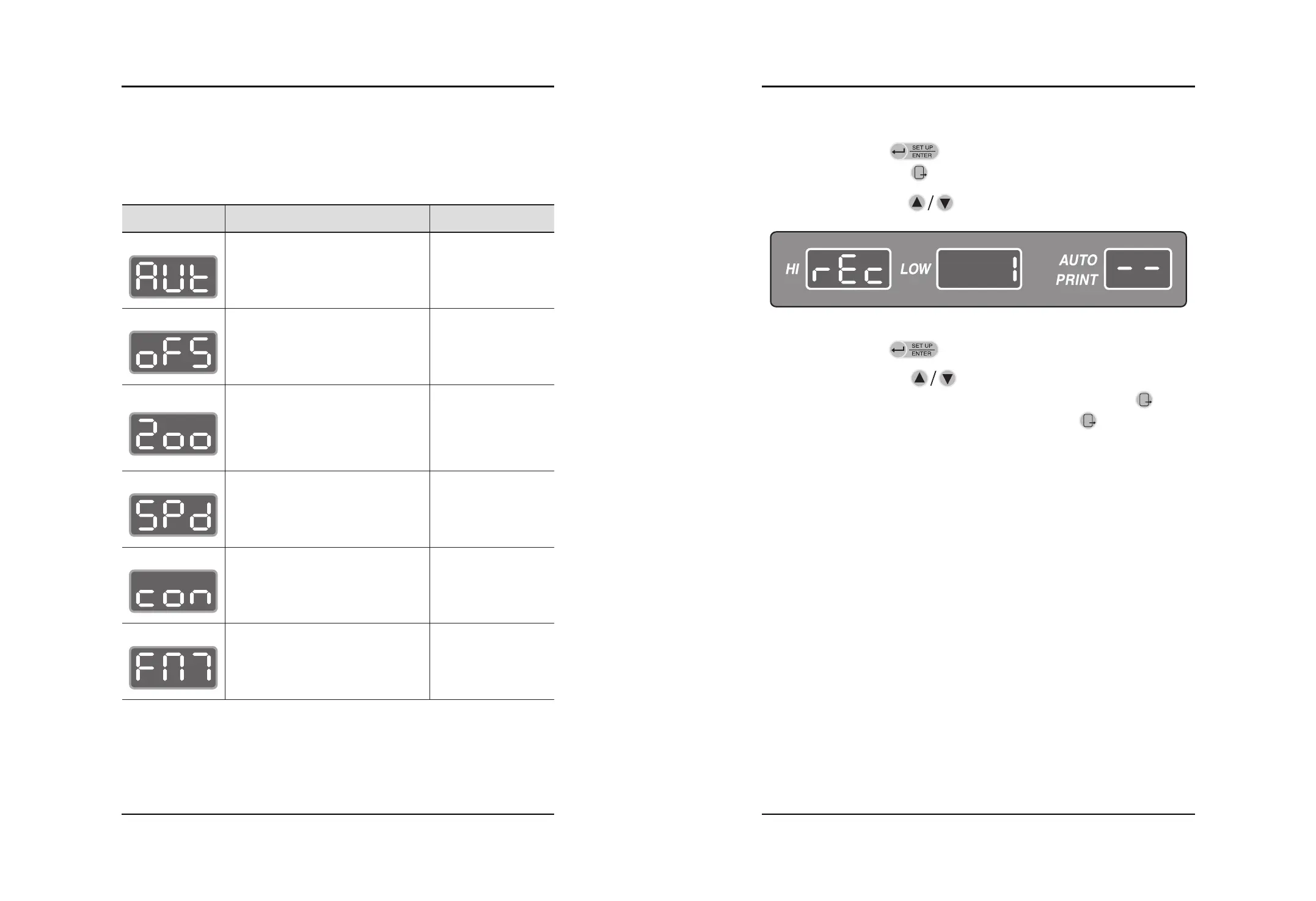
Step 4) Press the Up/Down key( ) to move to desired setting mode among Auto Print,
Offset, Zoom, Speed, Contrast and Fetal Movement. If press the Exit key( ), menu
will move to the previous mode(Step 2). If press the Enter key( ), menu will move to
the detailed setting mode of each mode.
Symbol Description Setting Range
Automatically records during the set time
while printing
If this function is selected, HR value of
HR II will be recorded adding 20bpm.
Extends FHR recording area of PRINT
record paper. If this function is selected,
FHR area of the record paper will change
from the range of 50 ~240bpm to the
range of 105~200bpm.
PRINT Speed
PRINT CONTRAST
Print Fetal Movement
10, 20, 30, 40, 50,
60, OFF min
Initial setting : OFF
ON, OFF
Initial setting : OFF
ON, OFF
Initial setting : OFF
1, 2, 3 cm/min
Initial setting : 3cm/min
1, 2, 3 steps
Initial setting : 2
ON ,OFF
Initial setting : ON
Auto Print
Offset
Zoom
Speed
CONTRAST
Fetal Movement


 To Next Page