How to use BFM-900L 27
BFM-900L
FETAL MONITOR
(
Ver 1.1
)
26 How to use BFM-900L
■Probe Connection
Connect DOP1, DOP2, and UC probes at the left side of the device. There are 2 Doppler probes
and you may connect them to any one of the DOP1, DOP2 and UC Terminals. When diagnosing
twin fetus, connect both terminals.
■Basic Screen by Probe Connection
If the DOP Probe is not attached, nothing shows on the screen where the heart rate is displayed,
and no sound or heart symbol signal shows.
If the DOP Probe is attached but not used, the status is Stand-By, and heartbeat area shows “---”
until the diagnosis starts. When the diagnosis starts, the calculated heartbeat shows on the screen.
If heartbeat is under 50 or heartbeat sound cannot be measured, heartbeat area shows “---”.
If the heartbeat displayed on screen goes over or under the alarm level limit, an alarm will sound
and alarm lamp will change green to red and FHR value will be twinkled.
Also, if the probe line is cut or the probe has been pulled off from the machine, and if it is disabled
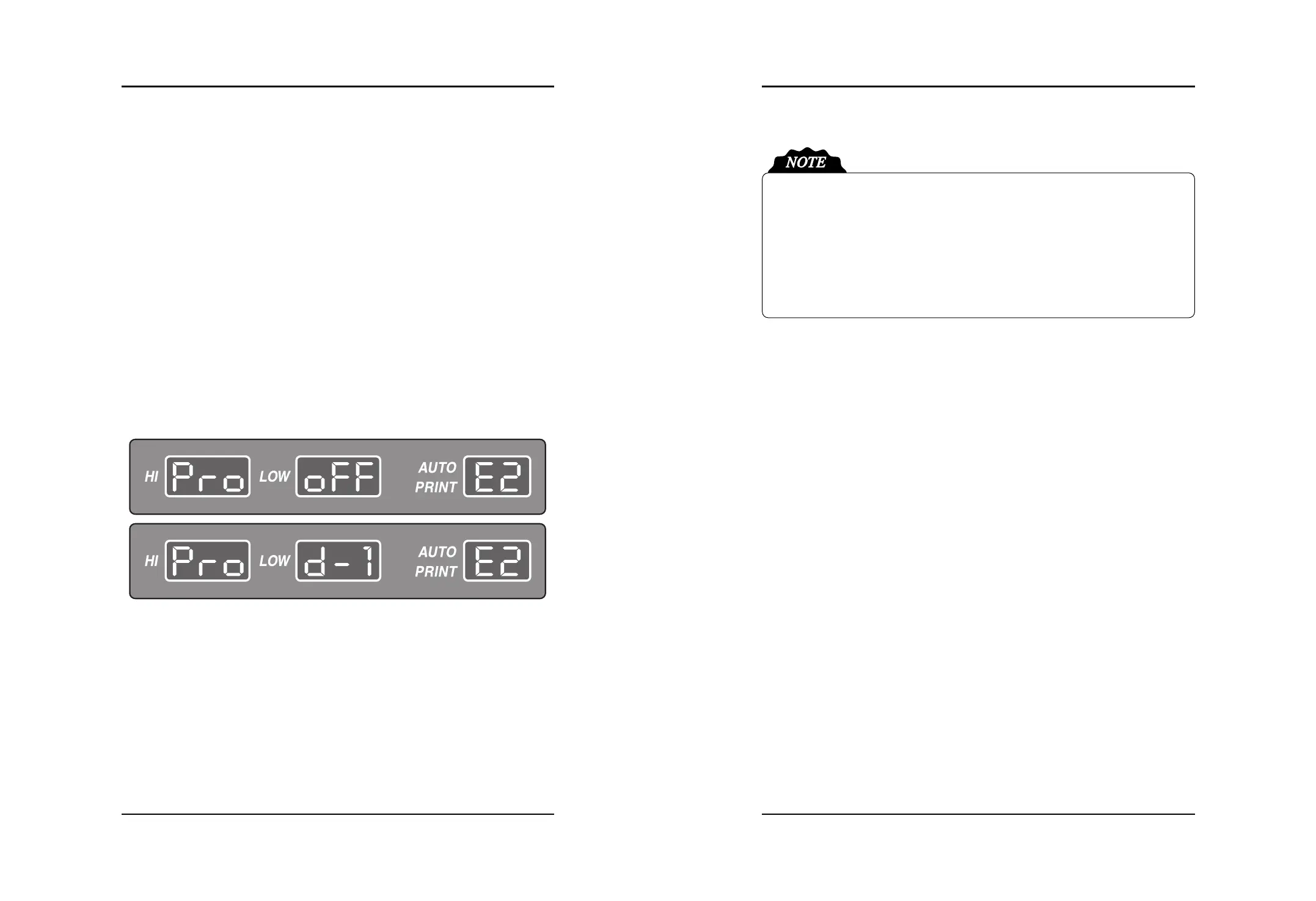
during usage, each of the FHR on the FND will show “---”. “PRO OFF” and “d-1”, “d-2”, “UC”
will displays by turns in the maximum/minimum alarm level FND. The error code will also
displays in the Auto Print FND. And information sound(ding dong ding dong) will be heard.
Error Codes
-E1 : Paper Out during printing
-E2 : DOP1 Probe is disconnected during using
-E3 : DOP2 Probe is disconnected during using (If “E2” error occurs, it will not be displayed)
-E4 : UC Probe is disconnected during using (If “E2” or “E3” errors occur, it will not be
displayed)
-E5 : Low Battery (If “E2”, “E3” or “E4” errors occur, it will not be displayed)


 To Next Page