BIOQUELL PROTEQ USER MANUAL -EN
TD092-O&M-001
Page 14 of 58
6 EQUIPMENT SET-UP
The ProteQ system can decontaminate a maximum total room(s) volume
of 250m
3
(8,800ft
3
), for larger rooms contact Bioquell.
6.1 Setting-up the ProteQ
Do not tread on aeration units, or use them as a step. Always place on
the floor
Outside the room to be decontaminated, remove
the lectern by holding the handles of the lectern
and leaning the top back.
Place the lectern by the door.
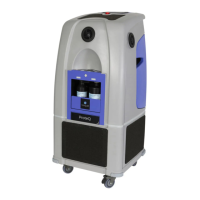
Wheel the Base unit into the room, to its validated
position.
If there are aeration units they must be placed in
to their validated positions in the room. NOTE the
arrows on the top of the aeration units must be
pointing in their validated direction, usually away
from the main unit. If the aeration units are not to
be used place them outside the room.
The cables for the Base unit and the aeration units
are in the bottom of the unit, under where the
aeration units are stored.
DO NOT USE ANY DAMAGED CABLES, replace
with adequately rated alternatives


 To Next Page