BIOQUELL PROTEQ USER MANUAL -EN
TD092-O&M-001
Page 51 of 58
18 DISTANCE MEASUREMENT DEVICE (OPTIONAL)
UNIT FOR US/CANADA
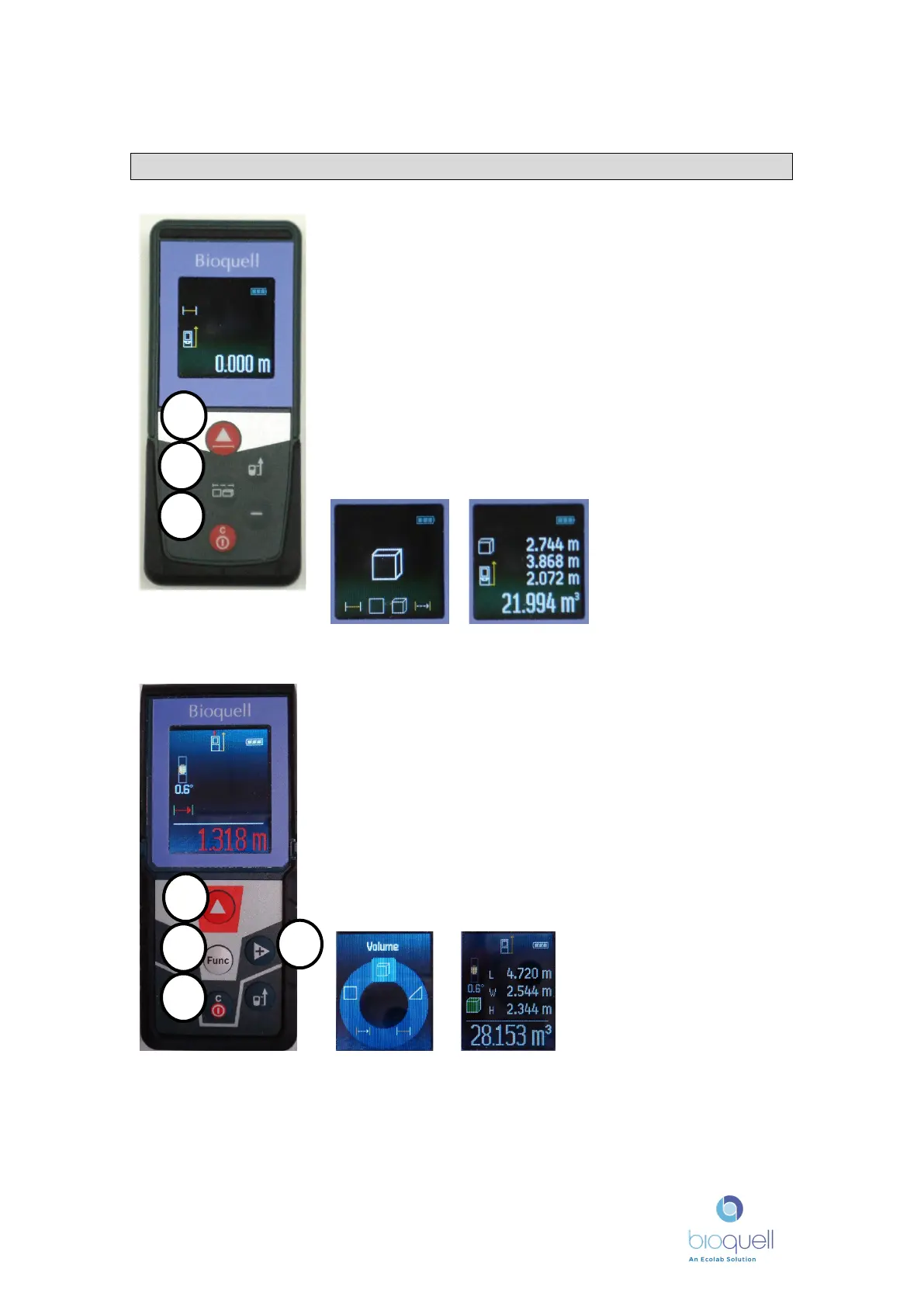
The Distance measurer can be used to measure the volume of
the room.
Press button 3 to turn the instrument ON and OFF.
Once ON, to measure room volume press the central button 2
until the cube appears, as shown below.
Place the instrument against the wall and Press button 1 several
times to measure the first distance, this will fill in the first
distance, continue to measure the other two dimensions
pressing button 2 when aligned. Any distance can be repeated
by pressing button 3.
Refer to the separate manufacturer’s manual for full details; the
above is intended to be a quick reference guide.
Press button 3 to turn the instrument ON and OFF.
Once ON, to measure room volume press the central ‘FUNC’
button 2 then the ‘+’ button twice (4), when the cube is at the
top, as shown below. Then press button 1 twice.
Place the instrument against the wall and Press button 1 to
measure the first distance, this will fill in the first distance,
continue to measure the other two dimensions pressing button 1
when aligned. Any distance can be repeated by pressing button 3.
Refer to the separate manufacturer’s manual for full details; the
above is intended to be a quick reference guide.
NOTE: Ensure that the instrument is
set to measure in metres. To do this
press and hold the ‘FUNC’ button 2 for
a few seconds, ‘ft/m’ will be
highlighted then, press button 1,
rotate using ‘+’ button 4, when ‘0.000
m’ is highlighted press button 1.


 To Next Page