BIOQUELL PROTEQ USER MANUAL -EN
TD092-O&M-001
Page 26 of 58
9 LOADING AN EXISTING PRE-PROGRAMMED CYCLE
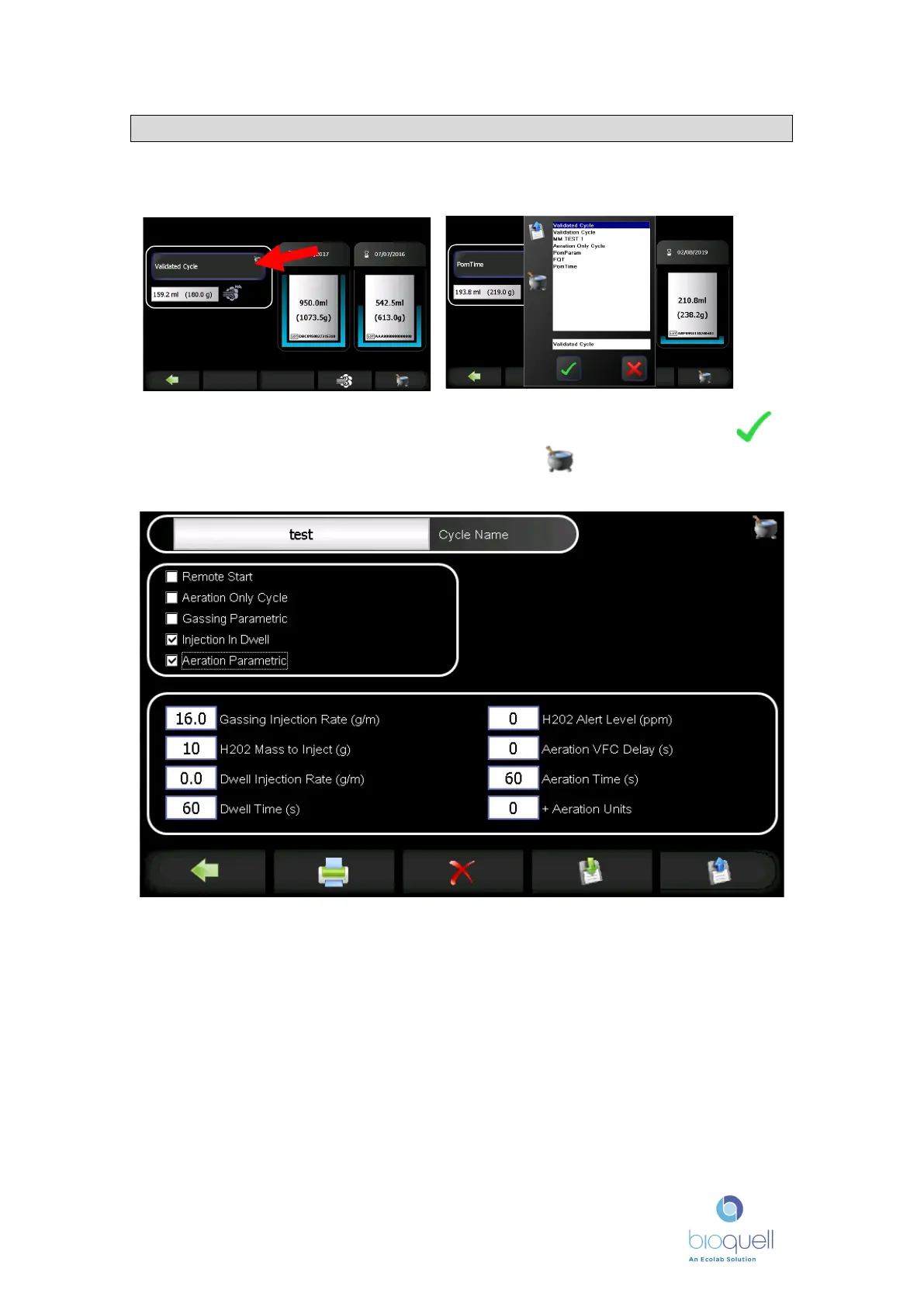
When in the start cycle page, press the cycle name to change it.
Choose the cycle (recipe) required by selecting it from the list and pressing .
To view the parameters of the cycle selected press in the bottom right of the
screen. The following screen will appear.
Parameters which are not applicable to the cycle will not be visible. The icons
along the bottom will vary depending on the access level of the person logged in
(refer to Section 20, screen navigation).


 To Next Page