BIOQUELL PROTEQ USER MANUAL -EN
TD092-O&M-001
Page 27 of 58
10 CREATING A NEW CYCLE
To edit or create a new cycle Administration level access is required. There are
two ways to create new cycles:
(i) Create a new cycle; or,
(ii) Edit an existing cycle and save it as a new cycle.
The following table details the cycle parameters that can be altered:
Name of the cycle. Note more than
24 characters can be entered but
only 24 will appear on the print out.
Only use letters and numbers, not
Uncheck
Check to enable the cycle to be
started/stopped remotely, by the
building or enclosure control system.
Check to select Aeration Only cycle.
Uncheck
Check to allow the gassing time to
be automatically optimised for the
environmental conditions using the
room volume. This will alter the
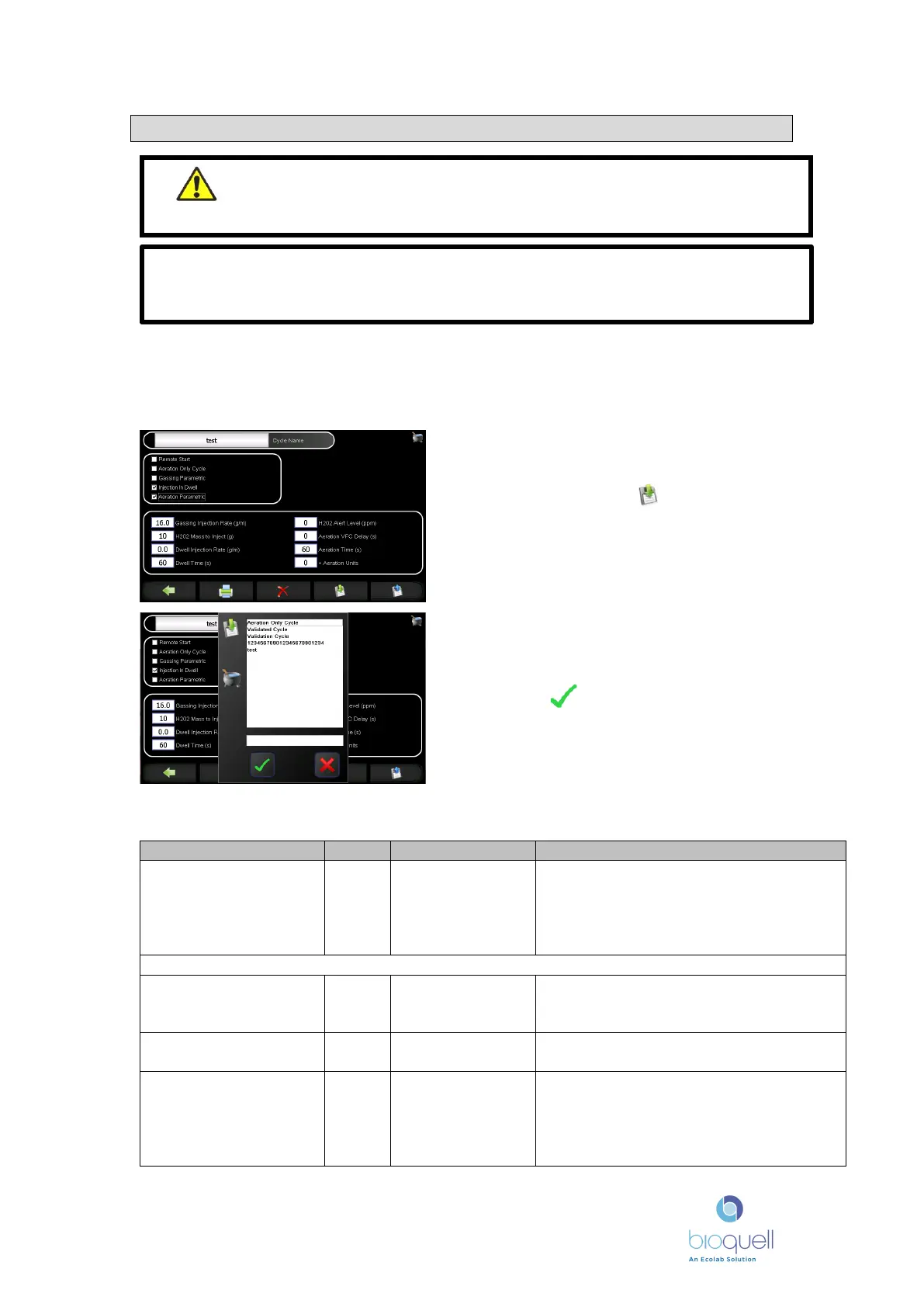
At the recipe screen edit the cycle
parameters to those required. Then
save by pressing .
Enter a new Recipe name in the bottom
box, or if an existing recipe is to be edited
then choose the recipe from the list. Then
press . If a recipe is being edited a
confirmation is required.
WARNING – Do not alter any of the Cycle Parameters unless
instructed by BIOQUELL or you have been fully trained as safety of
the unit and efficacy may be compromised.
Note: It is against US federal law to use a biocide in a manner inconsistent with
its labelling. Refer to and comply with Bioquell Hydrogen Peroxide sterilant
labelling.


 To Next Page