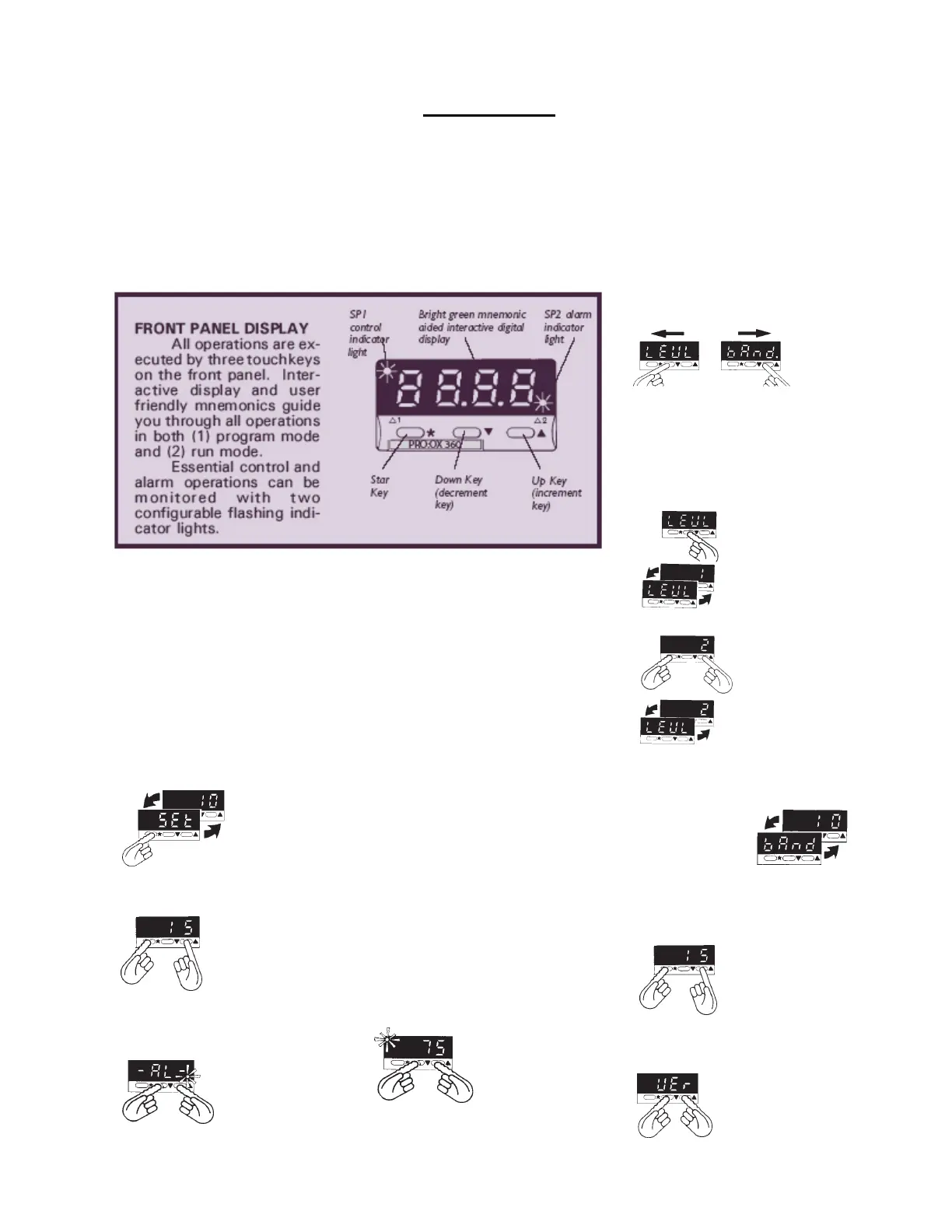
This section will give an overview of some of the different modes and
functions within the Proox 360.
RESET ALARM/ERROR
MESSAGES
When the alarm or
error condition has
been cleared,
momentarily press
both upkey and
downkey at the
same time.
CHANGE SETPOINT
Press and hold star
key. Press up key to
increase setpoint.
Press downkey to
decrease setpoint. If
change requires
control output, SP1
indicator will flash.
VIEW SETPOINT
In work mode,
press and hold
star key. Setpoint
is shown in
alternating display.
CHANGE OPTION
Index to required function. Press and
hold star key (current option
displayed). Press up and/or down keys
to display new setting.
Release star key.
IMPORTANT: Check
new selection
(alternating with
function) before
moving to another
function or exiting
program mode.
VIEW FUNCTION/OPTION
On release of up or
down key at
function, display
alternates with the
option selected.
ENTER/EXIT PROGRAM MODE
Simultaneously hold both up and down
keys for 3 seconds. You enter
program mode from
normal operating
mode at the tune
function on level 1 in
the menu. You exit
program mode at
any point in the
menu, returning to normal operating
mode. With exit, any new instructions
get entered into memory.
ENTRY TO HIDDEN LEVEL 4
At "VEr" function on
level 3, press and hold
both upkey and
downkey
simultaneously for 10
seconds. To enter level
4
PROGRAM MODE
All configuration, calibration,
and tuning operations take place in
program mode. You access the
program menu, navigate through it,
select appropriate options, and exit
back to work mode.
Entry into menu is always at
same point, the "tunE" function on
level 1.
During programming, control
with existing settings is maintained.
New settings are written to memory
only upon exiting program mode.
Settings are retained in non-volatile
memory for years even if unit is
unpowered.
Security locks can configure
certain options unadjustable. How-
ever, all functions and locked op-
tions may be viewed even when
locked.
Exit program mode from any
place in menu. Exiting program
mode returns to work mode with new
settings.
WORK MODE
Work mode is the normal day-
to-day operating mode. Whether
controlling or not (parked), oxygen
concentration at the sensor is con-
tinuously displayed, unless pre-
empted by other operations.
Operations in work mode are
limited to: (1) view setpoint, (2)
change setpoint, (3) reset alarm/
error message, (4) enter program
mode.
CHANGE LEVELS
Multi-level menu of functions requires
navigating from level to level.
Index down key to
level function.
Release down key
to display current
level.
Press and hold star
key while using
down key or up key
to select new level.
Release star key to
display new level.
SINGLE LEVEL NAVIGATION
Press up
or down
key once
to move to
the next
function.
Hold up or down keys to automatically
index through the functions. Always
index down to get to level function.
Operation
9
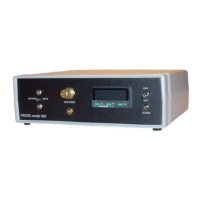
Proox model 360
version 1.0


 To Next Page