Single Setpoint Control
19
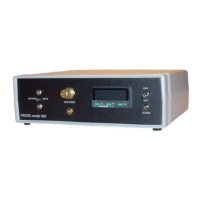
Proox model 360
version 1.0
This section will describe how to use single setpoint control with the
Proox 360. Single setpoint control is a way to control the level of gas in
the chamber. Depending on if you want to operate at a low level of oxy-
gen (below 21.0%) or a high level of oxygen (above 21.0%) will determine
what gas you use. For more information, see the “
Operation” section of
this manual. To set a setpoint on the controller, follow these steps:
Single setpoint control using a low level of oxygen:
1. Make sure the compressed nitrogen gas supply is connected to the back panel of the
Proox 360 at the “GAS SUPPLY 40 PSIG MAX” barb. Make sure that the infusion tube is
connected to the Proox 360 and the other end is connected to the chamber.
2. Open the regulator on the compressed nitrogen source to 0-40 PSIG, Never exceed 40
PSIG or damage will occur to the unit. For the best results use approximately 15-20
PSIG (refer to the “Tuning” section under the “Power” heading for further information).
3. Check to make sure that the gas is connected properly by opening the bleed valve on
the front panel. If gas is heard expelling from the bleed barb then it is connected correctly.
Once you have confirmed that the gas is connected properly, close the bleed valve.
4. To set a setpoint, push and hold the “*” button. While holding the “*” button use the “up”
and “down” buttons to adjust the “set” to read what you want the setpoint to be. Once you
have adjusted the number to the desired reading, release the “*” button.
5. Flip the switch on the front panel labeled “GAS” upward. This will allow the gas to enter
the chamber. The controller will begin to go towards the new setpoint.
Single setpoint control using a high level of oxygen:
1. Make sure the compressed oxygen gas supply is connected to the back panel of the
Proox 360 at the “GAS SUPPLY 40 PSIG MAX” barb.
2. Open the regulator on the compressed oxygen source to 0-40 PSIG, Never exceed 40
PSIG or damage will occur to the unit. For the best results use approximately 15-20
PSIG (refer to the “Tuning” section under the “Power” heading for further information).
3. Check to make sure that the gas is connected properly by opening the bleed valve on
the front panel. If gas is heard expelling from the bleed barb then it is connected correctly.
Once you have confirmed that the gas is connected properly, close the bleed valve.


 To Next Page