Chapter 3: UEFI BIOS & Soware | 23
2.8 LEDs
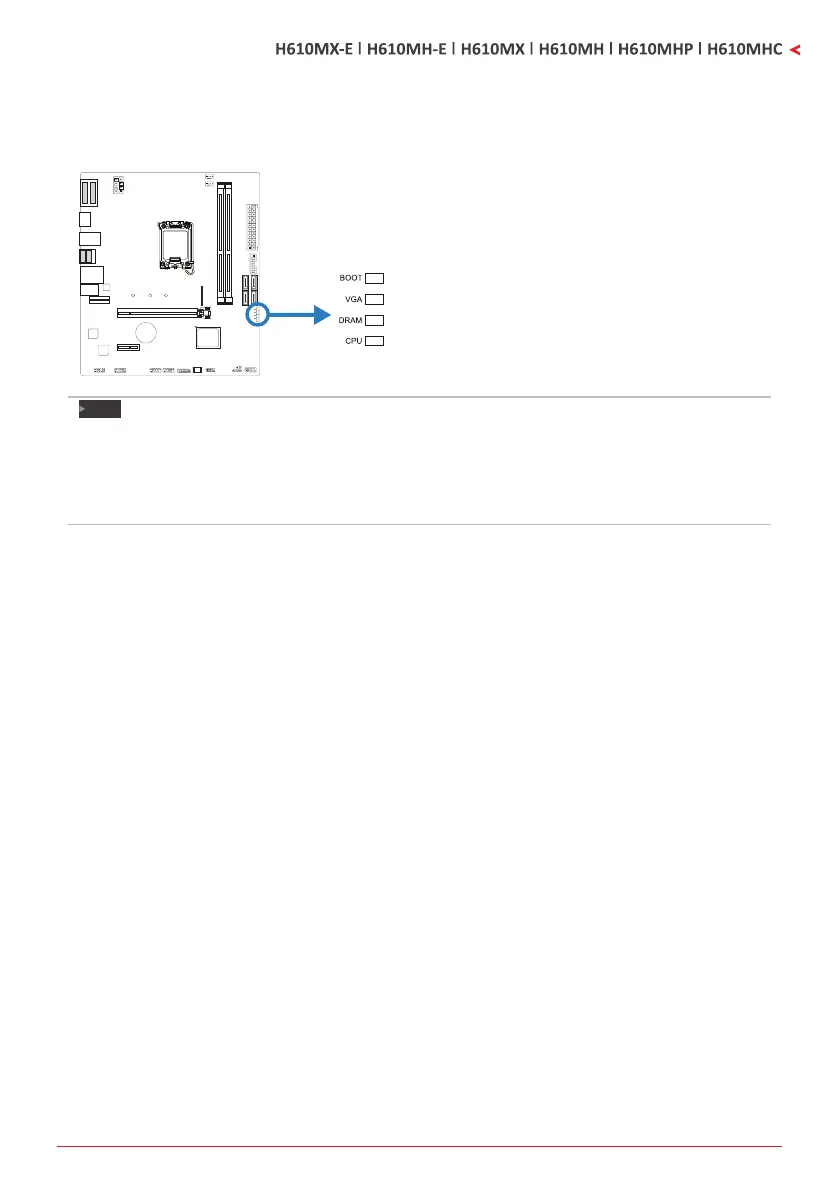
Debug LED: Debug LED Indicators
This LEDs indicate the status of the motherboard.
BOOT - indicates boong device is not detected
or fail.
VGA - indicates GPU is not detected or fail.
DRAM - indicates DRAM is not detected or fail.
CPU - indicates CPU is not detected or fail.
Note
»
Aerstarngthecomputer,theLEDindicatorswilllightupinthefollowingorder:
CPU→DRAM→VGA→BOOT
»
Whenthecomputerisready,theLEDindicatorwillshowwheretheerroroccurredandwillstayon
unltheproblemissolved.
»
Aerthecomputerisstarted,theDebugLEDwillnotlightupifthereisnoabnormalitydetected.


 To Next Page