12 | Chapter 2: Hardware Installaon
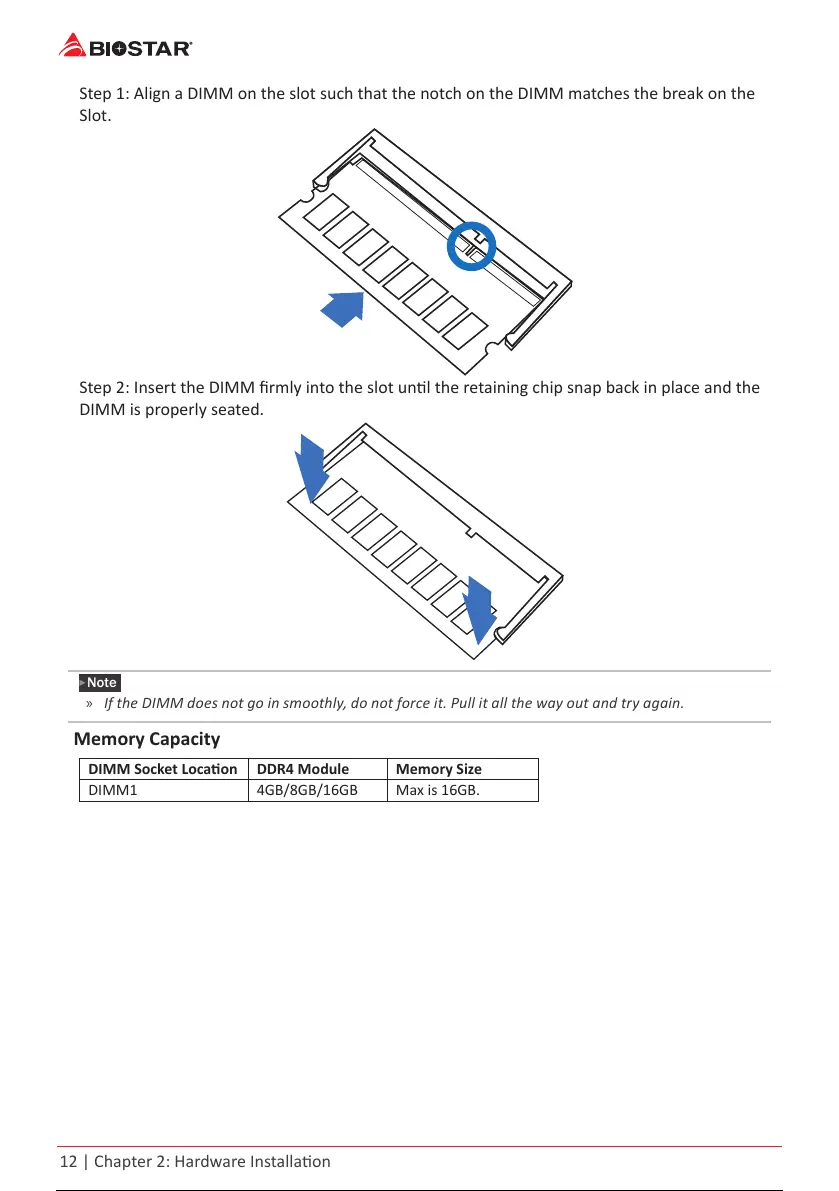
Step 1: Align a DIMM on the slot such that the notch on the DIMM matches the break on the
Slot.
Step 2: Insert the DIMM rmly into the slot unl the retaining chip snap back in place and the
DIMM is properly seated.
Note
»
IftheDIMMdoesnotgoinsmoothly,donotforceit.Pullitallthewayoutandtryagain.
Memory Capacity
DIMM Socket Locaon DDR4 Module Memory Size
DIMM1 4GB/8GB/16GB Max is 16GB.
13 / 36 12 / 34 13 / 36 12 / 34 13 / 36



 To Next Page