Motherboard Manual
26
5.2 T-SERIES SOFTWARE
Installing T-Series Software
1. Insert the Setup CD to the optical drive. The driver installation program
would appear if the Auto-run function has been enabled.
2. Select Software Installation, and then click on the respective software
title.
3. Follow the on-screen instructions to complete the installation.
Launching T-Series Software
After the installation process is completed, you will see the software icon
showing on the desktop. Double-click the icon to launch it.
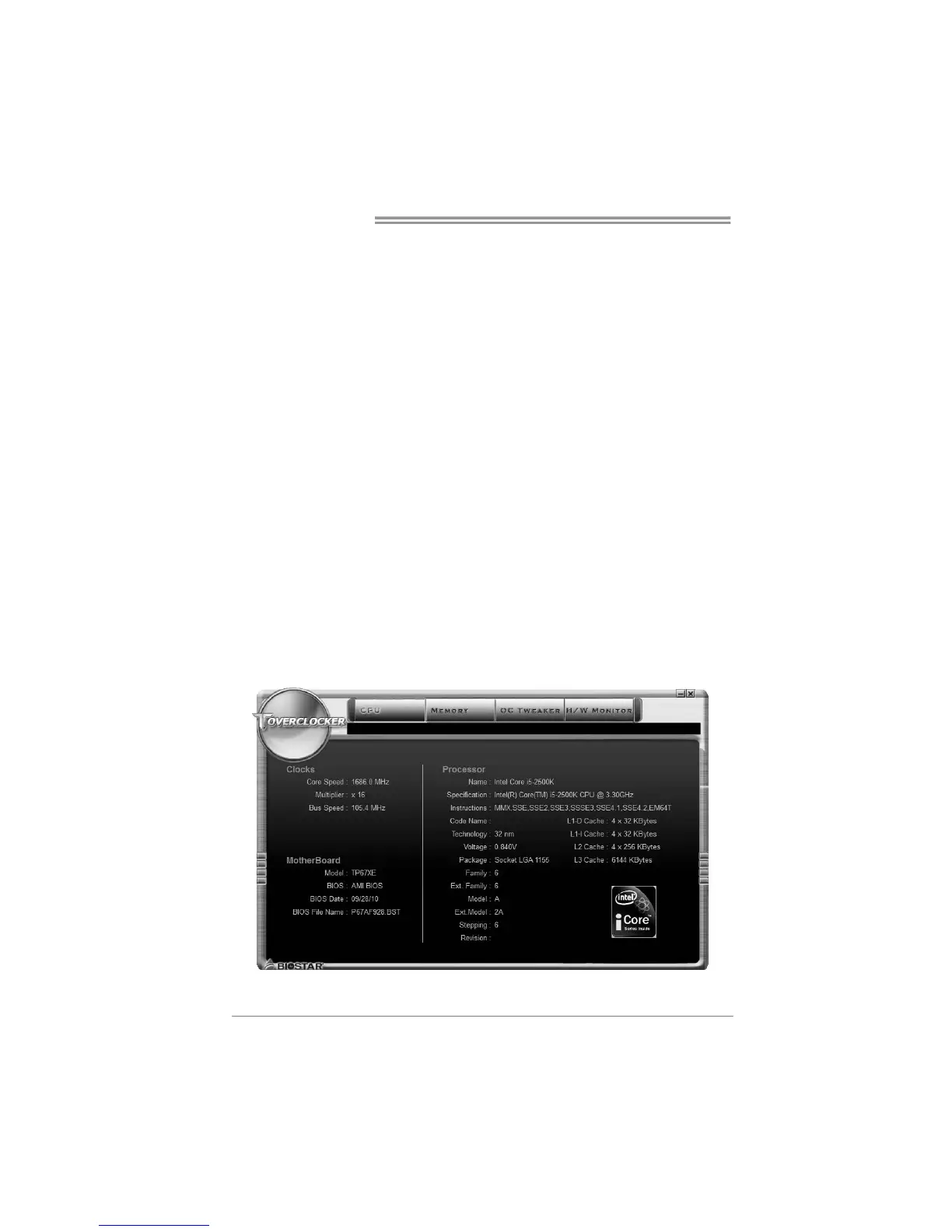
TOverclocker
TOverclocker presents a simple Windows-based system performance
enhancement and manageability utility. It features several powerful and easy
to use tools such as Overclocking for enhancing system performance, also for
special enhancement on CPU and Memory. Smart-Fan management and PC
health are for monitoring system status. This utility also allows you to make
overclocking profiles saving unlimitedly, and pre-set OC modes are for easy
OC. (The illustration below is for reference only)



 To Next Page