411829-L, Operation April 2012 Page 4-17
4
Prepare the Sample Loading Pump for a Run (Only Isolera LS)
NOTE
The peristaltic pump tube has limited use. To avoid the risk of cross-
contamination and decreased pump performance, it is recommended that
the peristaltic pump tube is discarded after each run.
The system is delivered with two kinds of peristaltic pump tubes (PharMed
and Fluran). Ensure that the used peristaltic pump tube is compatible with
the solvents and sample to be used; see section 1.3.4 on page 1-20.
Samples to be loaded using the sample load pump must be fully dissolved.
Particulates in the sample may cut or weaken the peristaltic pump tube
causing a sample leak.
Only Isolera LS is equipped with the sample loading pump.
To empty the pump tubing of liquid and mount a new peristaltic pump tube:
1. Place the pump’s outlet line into a waste reservoir.
2. Select the Solvents tab in the right-hand panel (in the software) and then the Sample
Loading Pump tab.
3. Press Start to start the pump and draw air into the inlet line.
4. When the pump tubing is empty, press Stop.
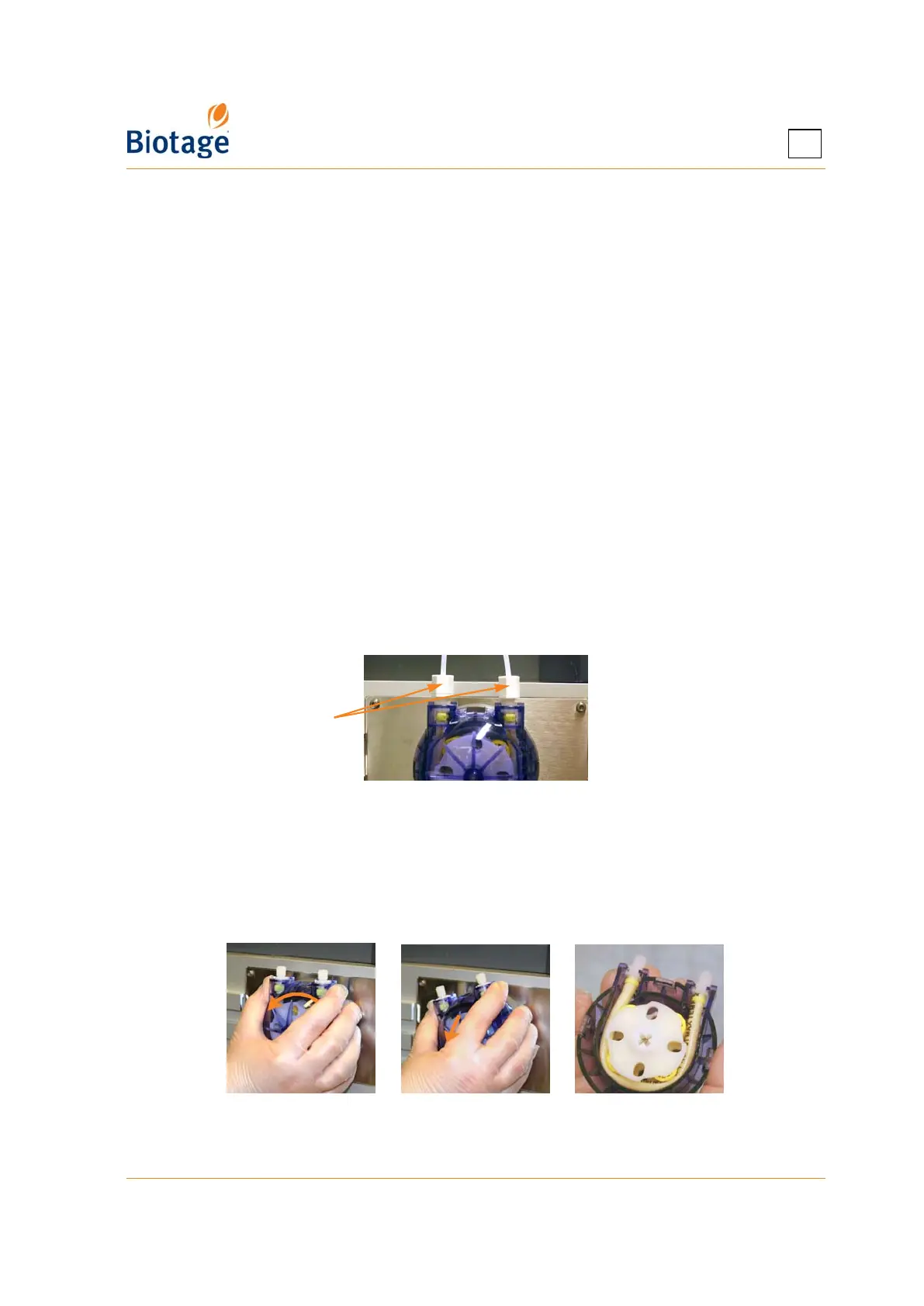
5. Remove the inlet and outlet tubing by removing the two screws; see Figure 4-11.
Figure 4-11. Remove the Inlet and Outlet Tubing
6. Remove the pump by turning it counterclockwise and then pulling it out; see Figure 4-12.
7. Replace the tube inside the pump. Ensure that the new tube is compatible with the solvents and
sample to be used in the next run; see section 1.3.4 on page 1-20.
8. Remount the pump and the inlet and outlet tubing. If necessary, replace the inlet and outlet
tubing.
Figure 4-12. Remove the Sample Loading Pump
Remove screws



 To Next Page