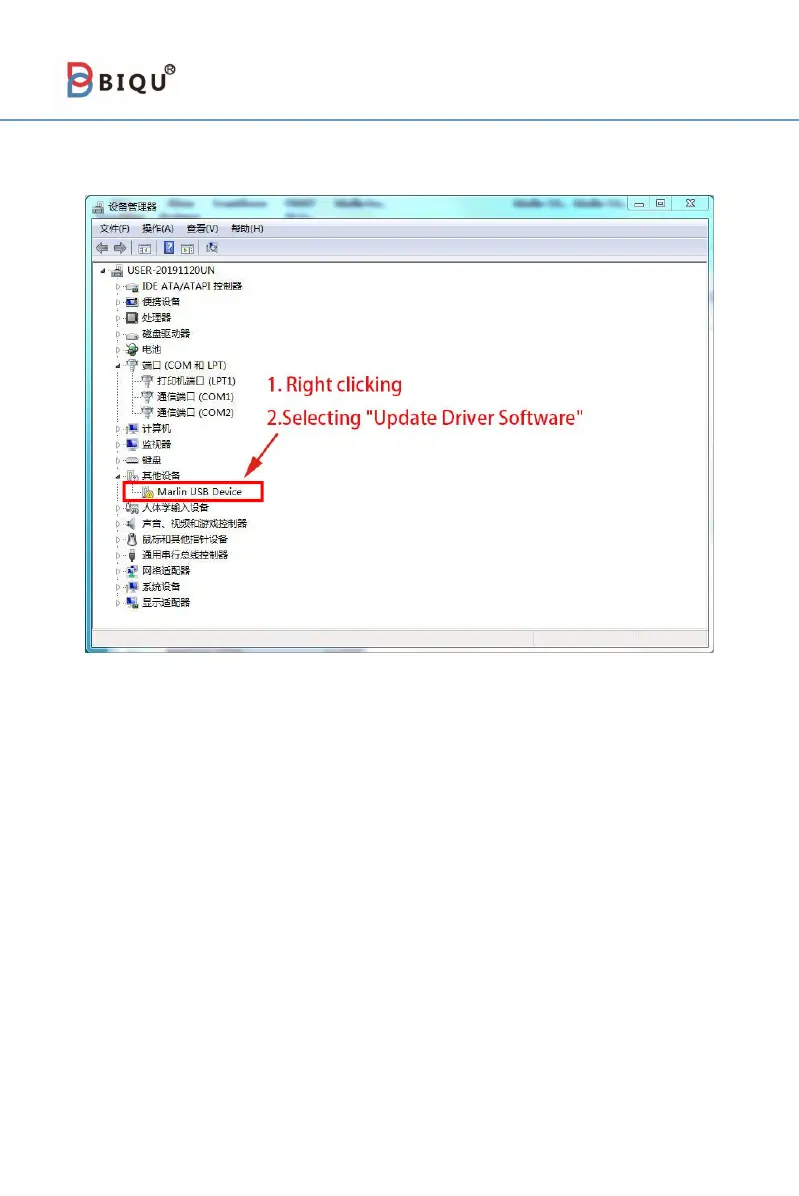
5-2 Installing Driver software
Turn on the power of the 3D printer, and connect the computer to
the 3D printer through the data cable. Right-click "This Computer"
→
"Properties" → "Device Manager", and then the window will show
above. If there is a yellow exclamation mark or question mark shown in
the box, users need to manually install the driver. If not, it means that the
driver has been installed automatically, no need to perform the following
driver installation steps.
Then follow the prompts shown above to install the driver software.



 To Next Page