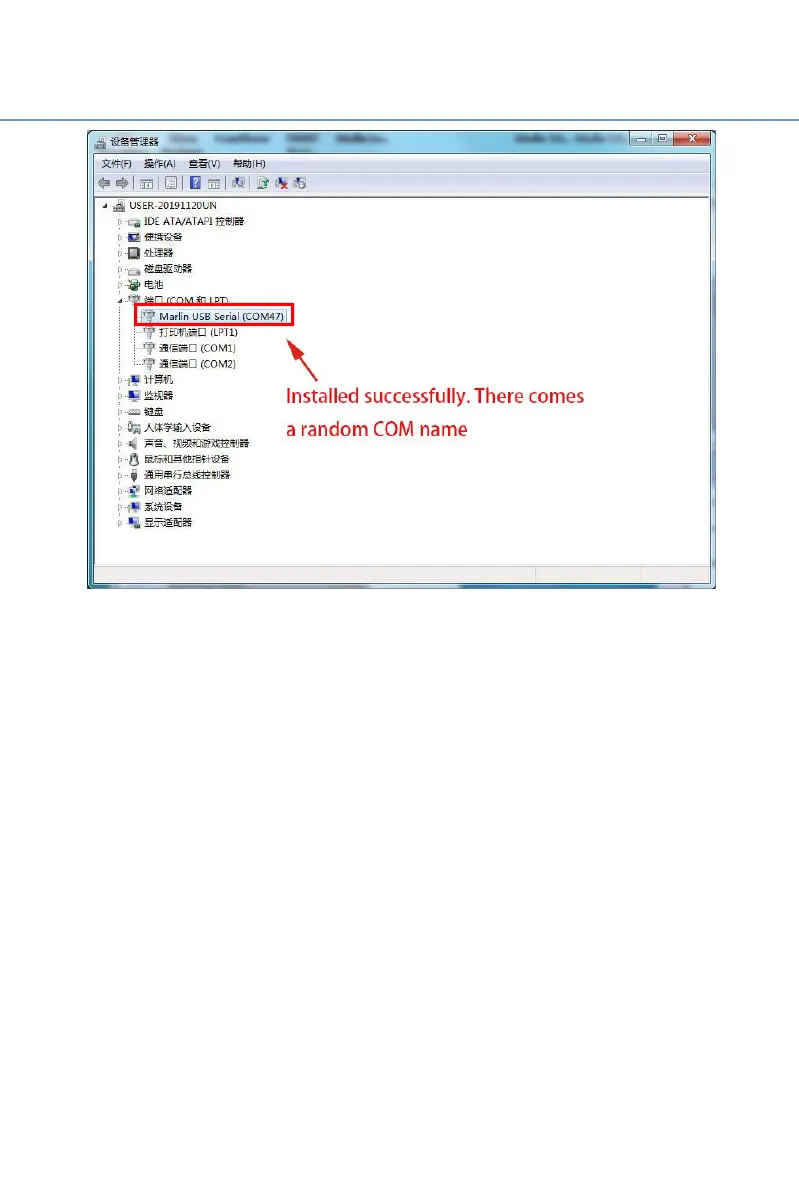
After successfully installation, you can see a random port named
"Marlin USB Serial (com47)". 47 is a random number. Different numbers
may appear according to different PC types. (If it is the same computer
and the same printer, the port number will remain unchanged.) This port
will be used for data communication between the printer and the
computer.
Ps: Because the user's computer environment is different, after the driver
installation is complete, if there is an exclamation mark under the "port",
it means that the installation has encountered problems. At this time,
please unload this port and then install the driver again.



 To Next Page