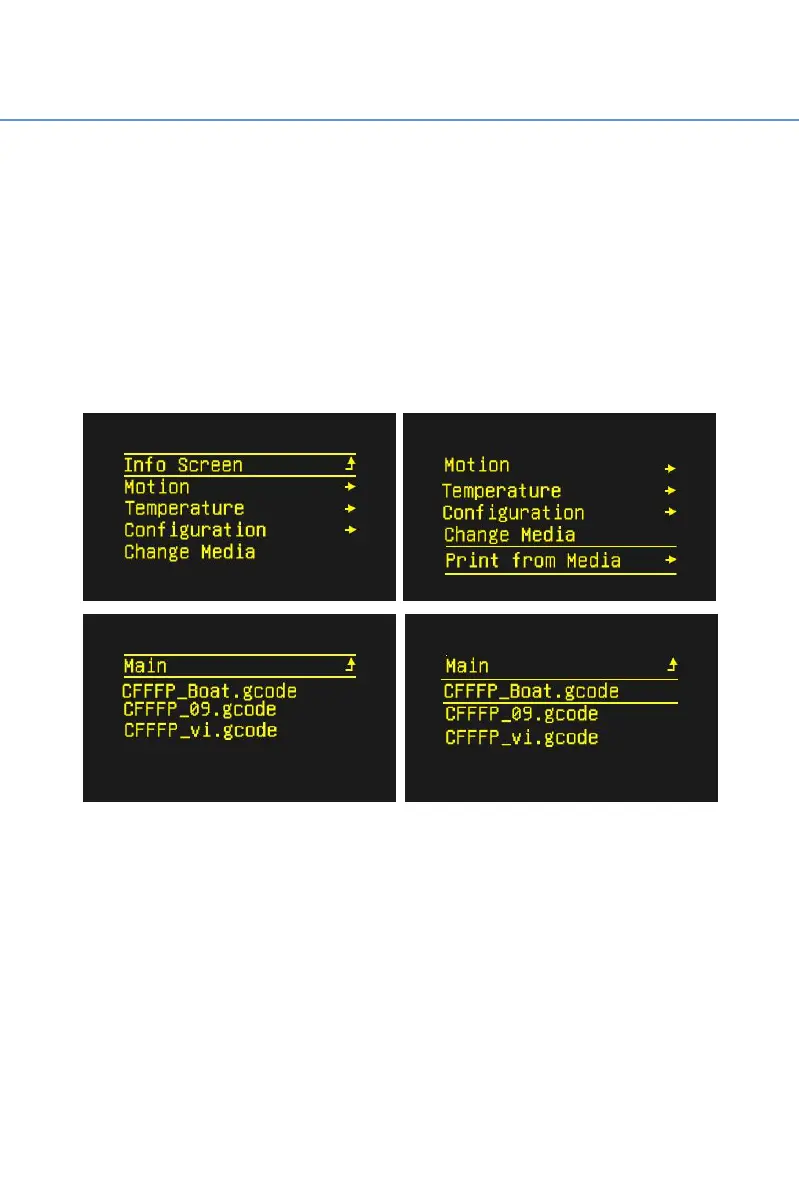
Step 2 Short press the knob, it will skip to the operation interface of
①(as shown below) And when the user turns the knob clockwise, the
option will move page down. Moving option to ② “Print from Media”,
then short pressing the knob, it will skip to the operation interface of ③
(as shown below).Moving down option to the file to be printed ④
and short pressing the knob.
Note: In the Marlin system, turn the knob clockwise, the option will move
down. Turn the knob counterclockwise and the selection will move up.
The printer nozzle and hot bed start to heat. After warming to the
target temperature, the machine will automatically reset to zero and then
start printing.
After printing is completed, the print head and hot bed will
automatically cool down. When the temperature of nozzle and hot bed
reach indoor temperature, users then can remove the model.



 To Next Page