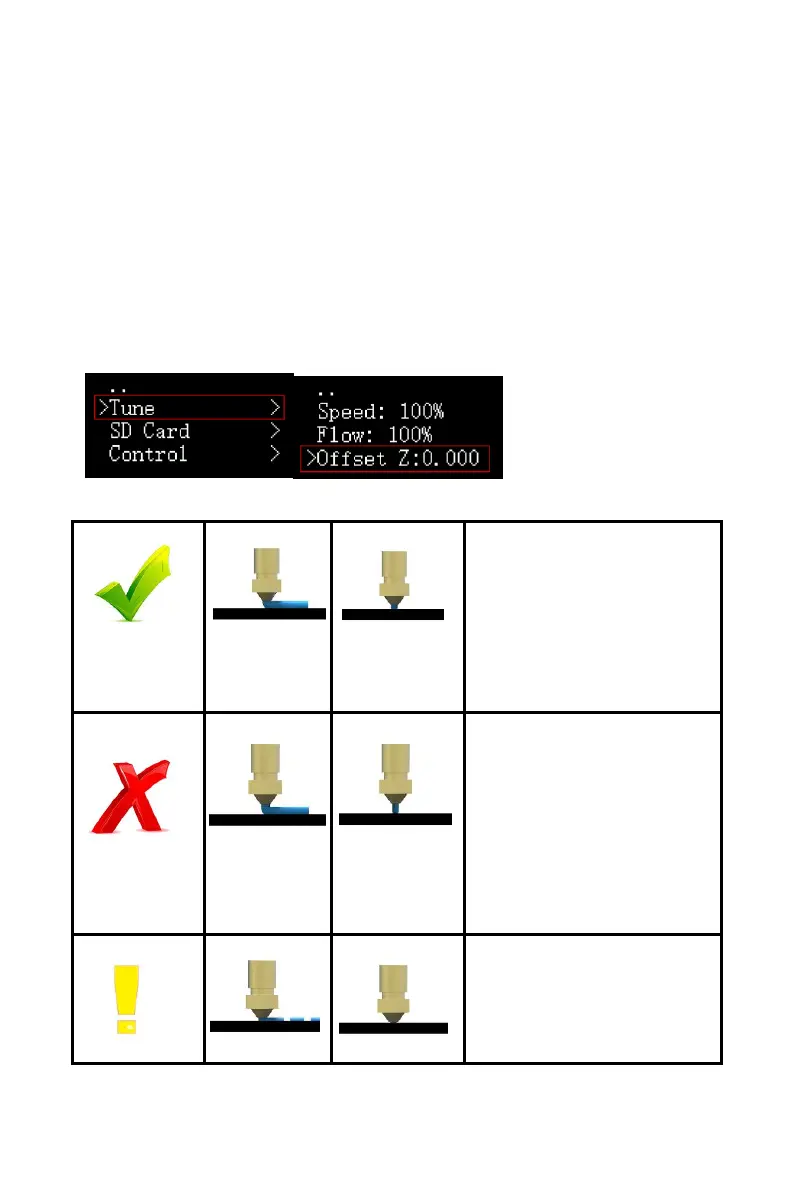
4.6 Tuning of Nozzle Height
Enter the secondary interface during printing:
Tune——Offset Z:0.000
Adjust according to the height of the nozzle. When the
nozzle is too high from the bed, Z is adjusted to a negative
number, and when the nozzle is too low or presses to the
bed, Z is adjusted to a positive number.
Offset: The right height of the nozzle:
A right distance
between the nozzle
and the bed: the
filament sticks
sufficiently well to the
bed.
The nozzle is too high
from the bed: filament
curls and does not lay
around the nozzle,
and not stick
sufficiently well to the
bed.
The nozzle is too
close to the bed: The
nozzle or bed may be
damaged.



 To Next Page