7. Other Function
7.1 MicroProbe Calibration
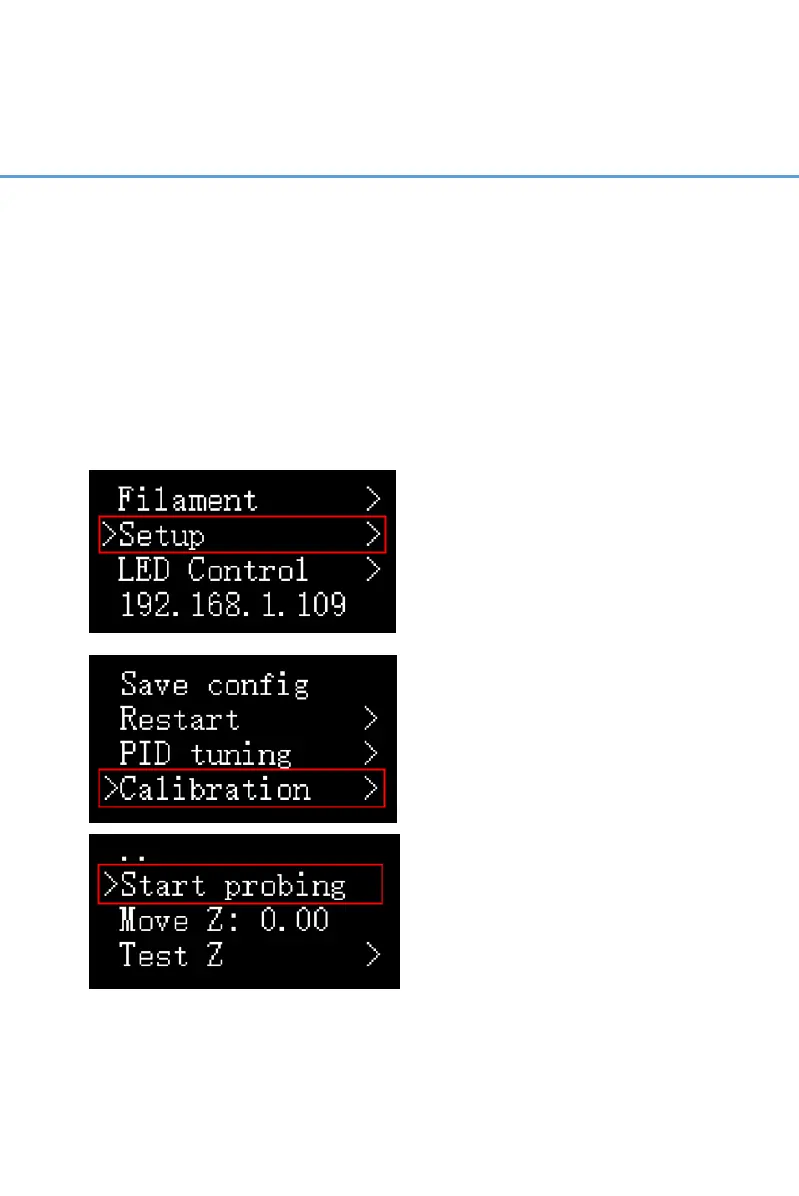
If you find the MicroProbe factory offset is incorrect, or you
have rewritten the system, the steps for calibration are as
follows:
Setup—Calibration——Start Probing——Move Z(adjust the
distance between the nozzle and bed: ±1mm)——Test Z(adjust
the distance between the nozzle and bed: -0.1mm to
+0.1mm)——Accept & Save



 To Next Page