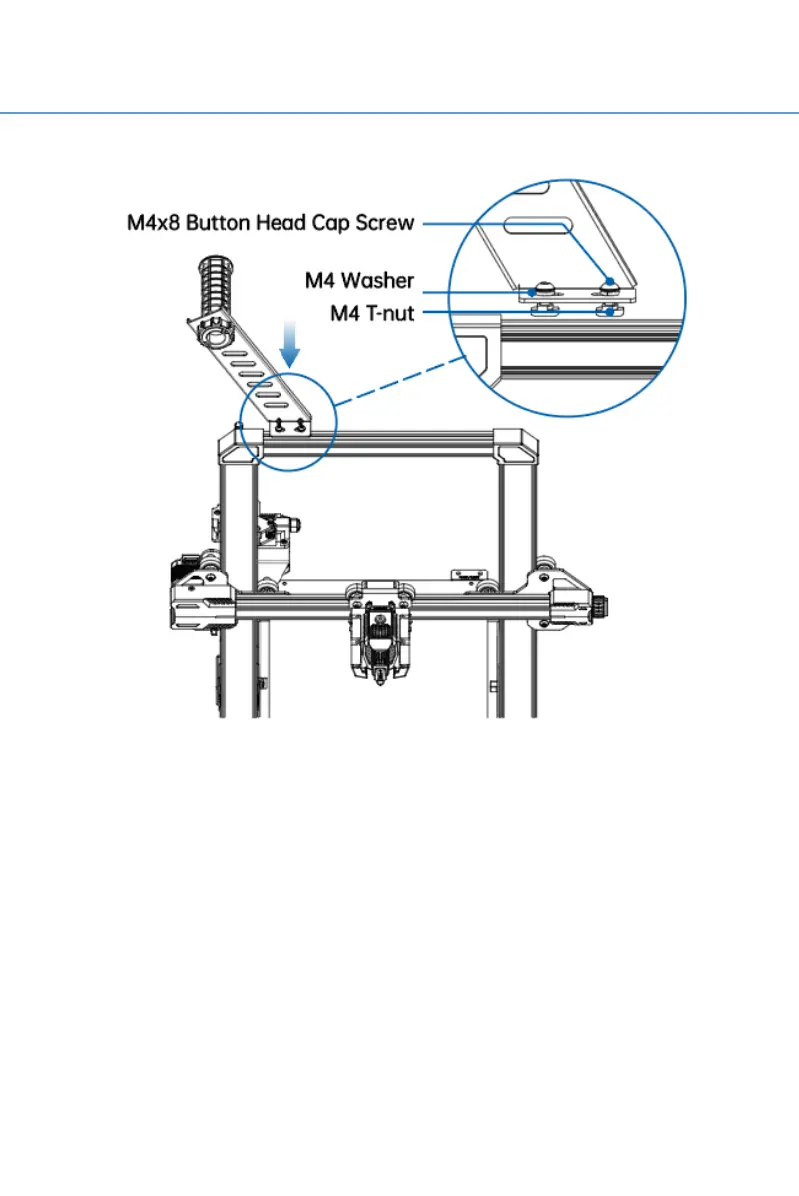
Step 5: Install the Filament Bracket
Loosen the T-nut slightly, place the filament bracket in the
top slot, and then tighten the screw with a screwdriver. The
T-nut will rotate slightly during the tightening process to
become stuck in the aluminum extrusion slot to fix the
filament bracket.



 To Next Page