16
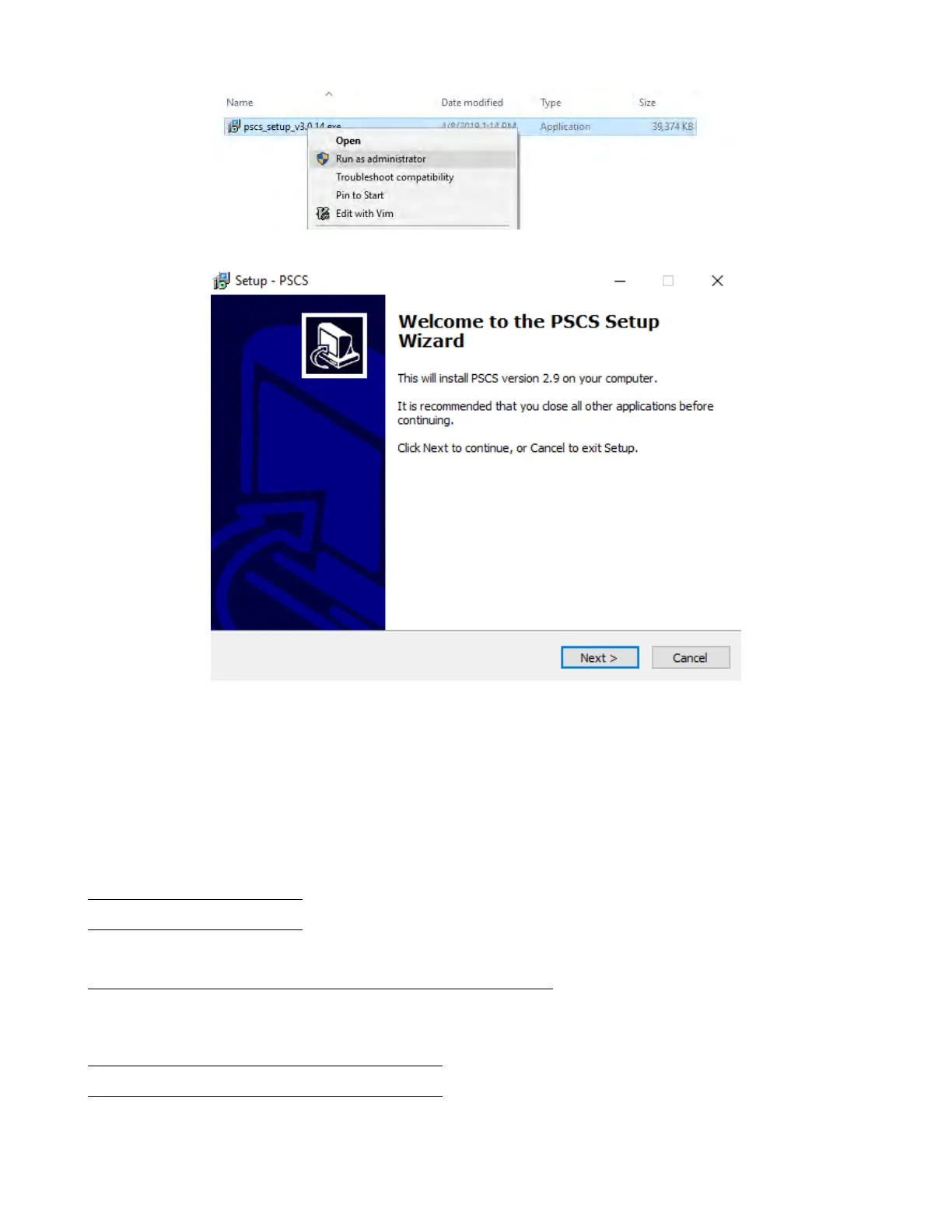
Figure 7.3
Figure 7.4
4. Click “Next” to continue. Figure 7.4
5. Select a destination location for the software. Figure 7.5
6. Select a location for the software shortcut.Figure 7.6
7. Check the box if you would like to create a desktop shortcut and click “Next” to continue. Figure 7.7
8. Click “Install” to begin installation.Figure 7.8
7.3 Multi-Unit Control
7.3.1 Connect Multiple Power Supplies to PC with RS-485
Use the RS-485 interface at the back of the power supply to daisy-chain up to 31 power supplies, see Figure 7.9. The
USB to RS-485 adapter shown in Figure 7.10 below is required.
7.4 Software Setup and Conguration
Connect the instrument to the PC with the supplied USB cable and power on the instrument. Ensure the drivers are
installed and the device is connected. To install the drivers, refer to Section 7.1 above for driver installation instructions.
www.GlobalTestSupply.com
Find Quality Products Online at: sales@GlobalTestSupply.com









 To Next Page