9
Basic Operation
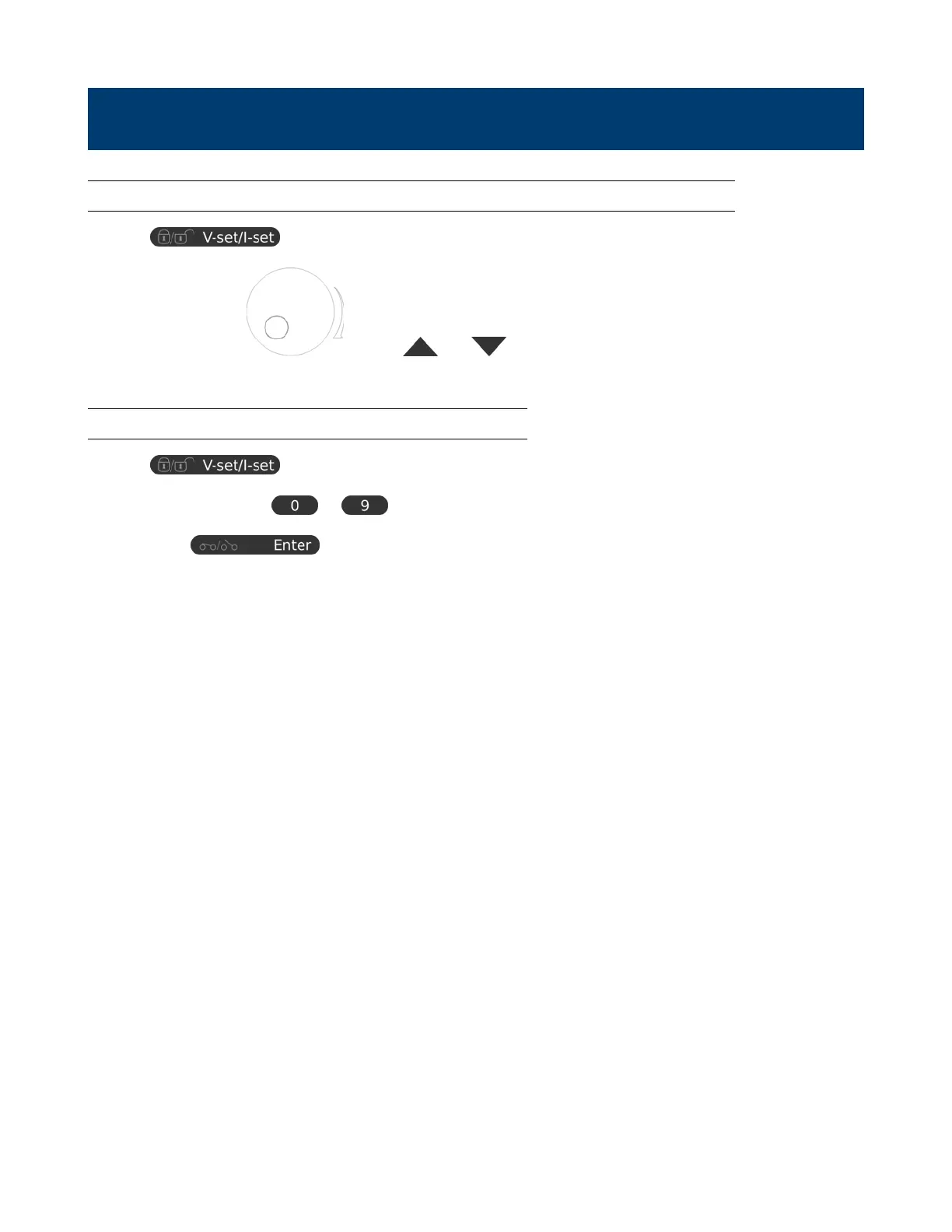
3.1 Setting Voltage and Current by Rotary Knob and Up/Down Keys
1. Press to switch between setting voltage and current.
2. Rotate control knob or press and to set voltage/current level. Press the control knob to
toggle the cursor position.
3.2 Setting Voltage and Current Using Keypad
1. Press to switch between setting voltage and current.
2. Use the numeric keypad to to input voltage or current value.
3. Press Enter to conrm input values.
www.GlobalTestSupply.com
Find Quality Products Online at: sales@GlobalTestSupply.com














 To Next Page