CHAPTER 2: Introduction
15
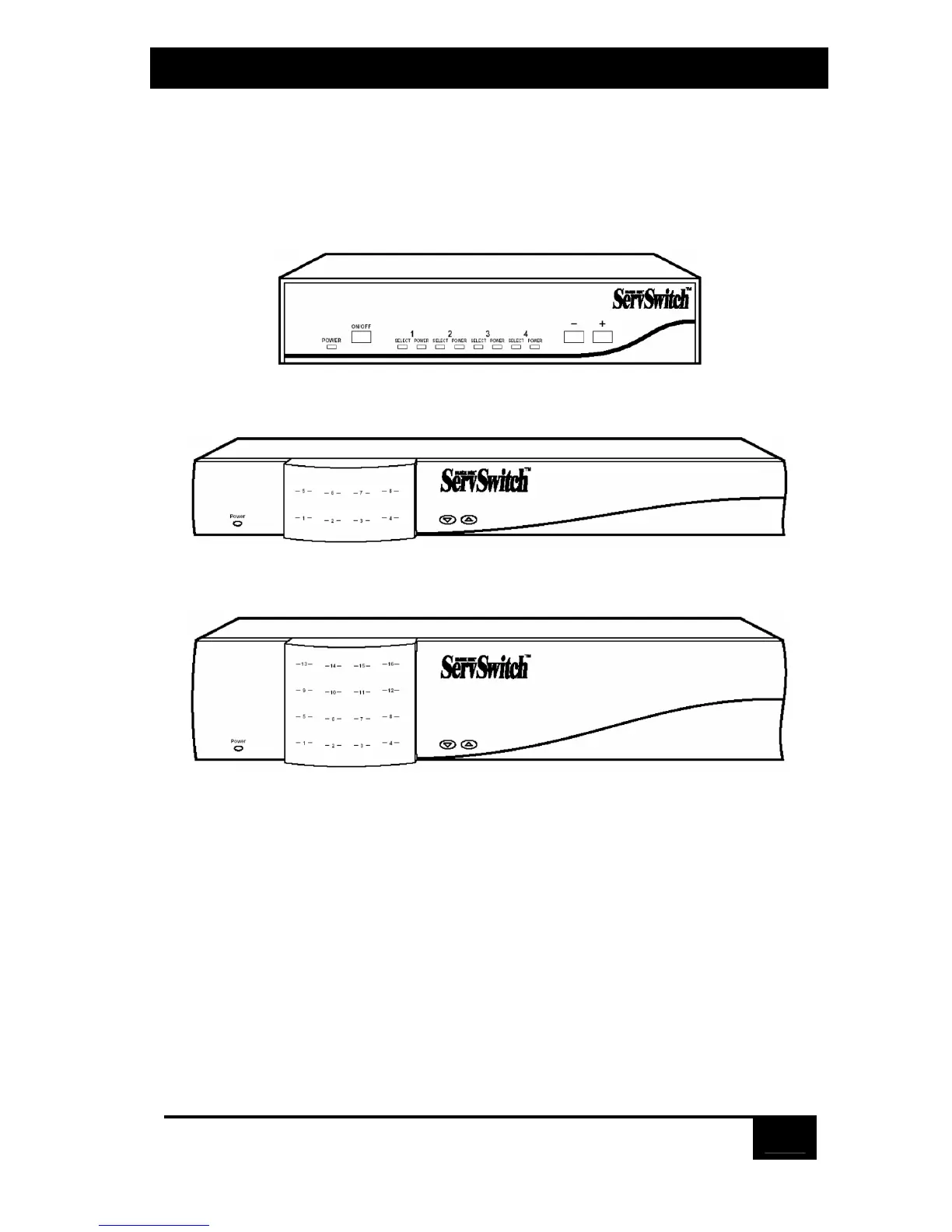
2.3 The Front Panel
The front panels of the ServSwitch feature two or three pushbutton switches and
several LED indicators. To familiarize yourself with these controls and indicators,
refer to Figures 2-1, 2-2, and 2-3 below and the descriptions that follow on the next
page.
Figure 2-1. The front panel of a 2 to 1 ServSwitch (SW721A-R5).
Figure 2-2. The front panel of a slimline 8 to 1 ServSwitch (KV3108SA-R5).
Figure
2-3. The front panel of a 16 to 1 ServSwitch (SW725A-R5).



 To Next Page
 Loading...